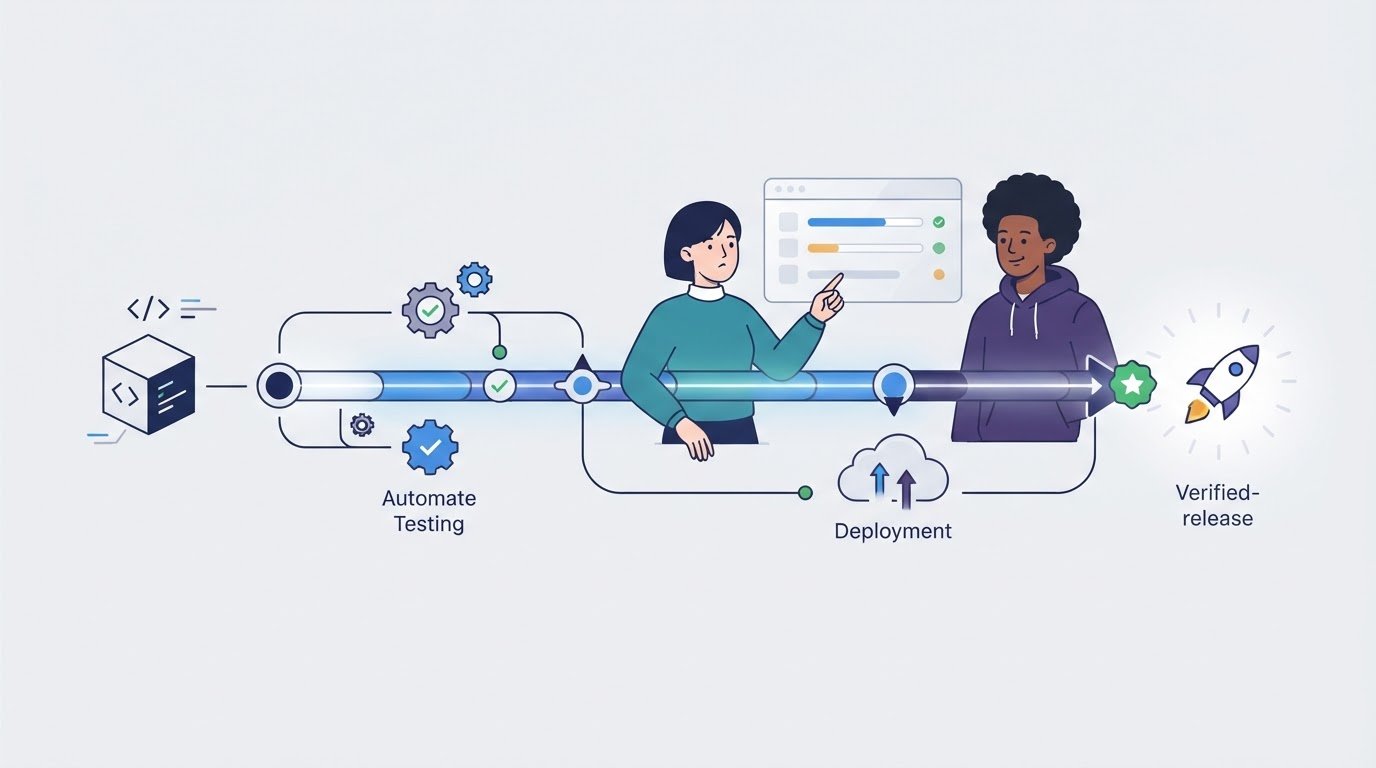
The best CI/CD tool for a small project may be the one you barely notice, not the one with the longest feature list. Choosing among CI/CD tools for small projects can feel like a trade-off: automation should save time, but setup and upkeep shouldn’t become another project to manage.
To decide between a hosted service and a self-hosted tool, start with the workflow you already have. Your code-hosting platform, build requirements, and capacity to maintain infrastructure all affect which option makes sense. A free plan can also have limits that matter as your project grows.
This comparison helps you shortlist tools by setup effort, workflow fit, plan limits, integrations, and ongoing maintenance. You’ll see how hosted and self-hosted options differ, and what to consider as usage grows. Use Alternative Radar to compare features, pricing, and pros and cons, then choose based on fit rather than popularity alone.
Key Takeaways
- See how CI, continuous delivery, and continuous deployment differ, and where automated checks can reduce release friction.
- Follow the path from code change to verified release, including the role of workflow configuration files.
- Compare CI/CD tools for small projects by repository fit, hosting model, configuration, and maintenance needs.
- Use your code host, deployment target, and team experience to narrow down the options that suit your workflow.
- Start with one valuable automated check, then expand selectively and document who handles failures.
Why CI/CD tools for small projects can save time without adding overhead
A manual release can feel faster than setting up automation, especially when a project has few contributors and changes infrequently. But repeated checks, forgotten steps, and uncertainty about which build is current can turn each release into a task list. CI/CD is most useful when it removes recurring friction without creating a pipeline that takes more effort to maintain than the work it automates.
CI/CD is a way to automate the process of integrating code changes, checking them, and preparing or releasing working software through repeatable workflows. Continuous integration (CI) runs checks as changes are added to a shared codebase, helping catch problems early. Continuous delivery keeps validated changes ready for release, while continuous deployment automatically releases qualifying changes to a live environment. Delivery doesn’t mean every change must go live; deployment automation is a separate choice. The CI/CD Explained overview provides more context on how these practices relate.
For a small project, the payoff is often consistency rather than speed alone. A pipeline can run the same build and tests whenever code changes, replacing steps contributors might otherwise repeat by hand. If a release requires several manual actions, automation can also make that sequence easier to reproduce. The goal isn’t to automate everything. It’s to reduce avoidable errors and free up attention for development.
What CI/CD automates in a small codebase
A code change can trigger a pipeline that installs dependencies, builds the application, and runs selected tests or code checks. The results give contributors a consistent way to spot failures before merging or releasing. Start with one useful check, such as a build that often breaks, then add steps only when they solve a real problem. Deployment can remain manual even when testing is automated.
When a small project is ready for CI/CD
Readiness depends more on project activity and risk than team size. A quick prototype with one contributor and few changes may not justify a pipeline yet. A maintained application has different needs, especially when releases affect users or regressions are costly. Consider adding automation when you notice recurring friction:
- Contributors repeat the same build or test checks before merging.
- More than one person changes the code, increasing the need for shared, consistent checks.
- Releases happen often, or depend on steps that are easy to forget.
If manual builds are still simple and reliable, keep them for now. Reassess when the project changes: a new contributor, a growing test suite, or a release process that causes hesitation can all shift the balance. The right CI/CD tools for small projects make repeated work more dependable without requiring a large workflow or an automatic release for every change.
How a CI/CD pipeline works: from code change to verified release
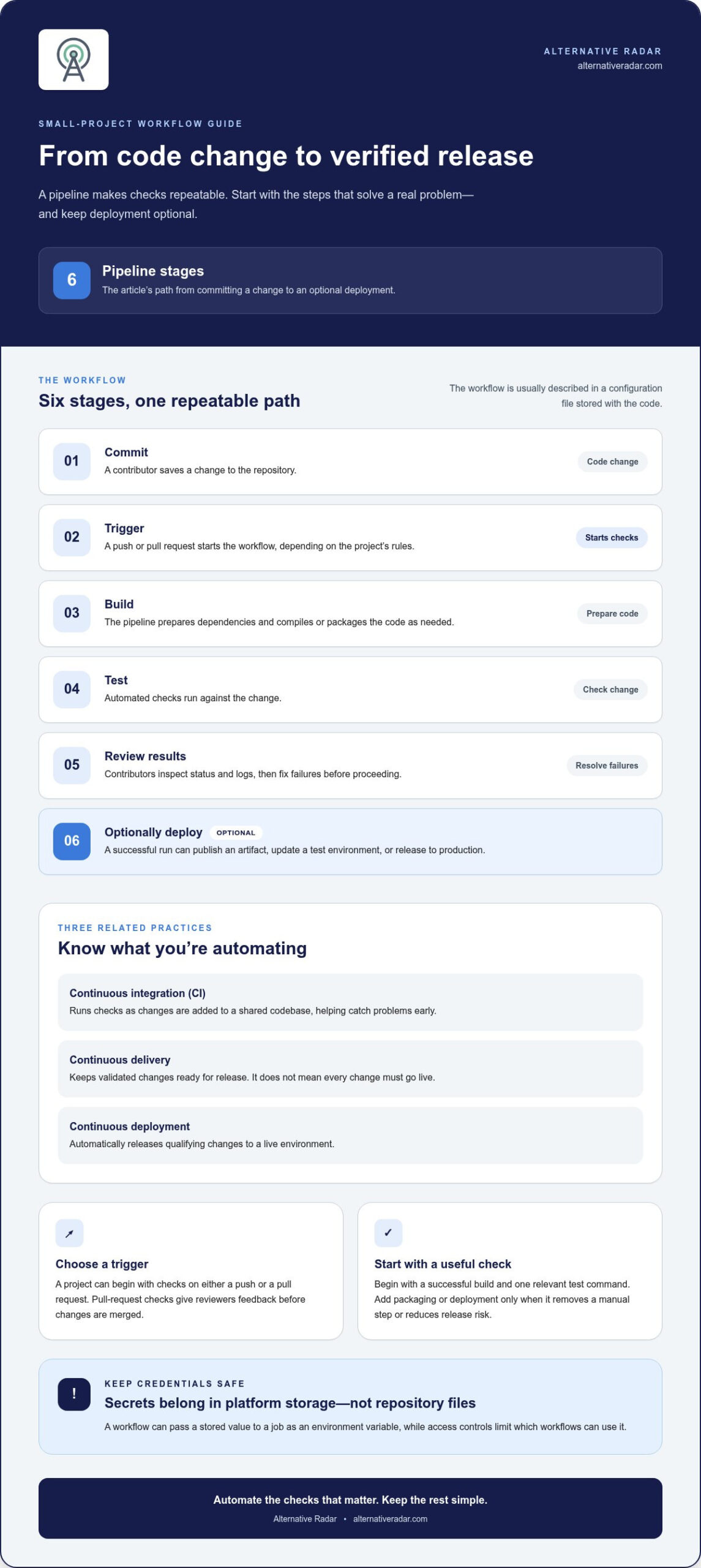
A pipeline turns a code change into a repeatable set of checks and, if you choose, a release. The workflow is usually described in a configuration file stored with the code, so the steps can be reviewed, versioned, and run consistently. For a small project, the first version can focus on a successful build and one relevant test command.
- Commit: A contributor saves a change to the repository.
- Trigger: A push or pull request starts the workflow, depending on the project’s rules.
- Build: The pipeline prepares dependencies and compiles or packages the code as needed.
- Test: Automated checks run against the change.
- Review results: Contributors inspect the status and logs, then fix any failures before proceeding.
- Optionally deploy: A successful run can publish an artifact, update a test environment, or release to production.
Not every project needs all six steps automated. Start with the stages that answer an immediate question: does the application build, and do its existing tests pass? Add packaging or deployment only when it removes a manual step or reduces release risk. More elaborate jobs, such as testing across multiple operating systems, can wait until compatibility needs justify the extra runtime and configuration.
Builds, tests, and pipeline triggers
Common triggers include pushes to a branch and pull requests, but a project can begin with either. Running checks on a pull request gives reviewers feedback before changes are merged; running them after a push can verify updates to a shared branch. Select tests that match the language and the suite the project already maintains. A fast, relevant check is more useful than a large set of flaky or unmaintained tests.
Keep workflow instructions understandable. Use clear job names, and separate steps when that makes failures easier to locate. Because the configuration file lives alongside the code, a workflow change can be reviewed like other project changes. This makes the pipeline easier to adjust as build commands, dependencies, and release needs evolve. CI/CD tools for small projects differ in how they express these instructions, but the basic sequence remains similar.
Artifacts, deployment, and safe handling of secrets
Some pipelines save a build output, or artifact, so a later job can deploy or distribute the same verified version. Deployment can target a test environment first, giving the team a chance to check behavior before production. Keeping test and production stages separate makes it clear which step publishes to users.
Credentials belong in the CI/CD platform’s secret storage, not in a repository file. A workflow can pass a stored value to a job as an environment variable, while access controls limit which jobs or contributors can use it. Avoid printing secret values in logs, and provide only the credentials a job needs. When comparing CI/CD software options, consider workflow configuration, artifacts, deployment stages, and secrets alongside setup and maintenance trade-offs.
CI/CD tools for small projects compared: hosted, integrated, and self-hosted
The best fit often starts with your code host. Integrated CI/CD can reduce setup friction, while an independent hosted service may suit a workflow that spans platforms. Self-hosting offers more operational control, but the team takes on upkeep. Compare workflow and maintenance trade-offs, not just popularity.
The table summarizes the main differences. Plan limits and integrations can change, so use the pricing and feature details in your software comparison as part of your shortlist.
| Tool | Hosting model | Repository fit and configuration | Maintenance | Best fit |
|---|---|---|---|---|
| GitHub Actions | Hosted runners or self-hosted runners | Closely integrated with GitHub; workflows use YAML files. | Low with hosted runners; higher if you manage runners. | Projects already hosted on GitHub that want CI in the same platform. |
| GitLab CI/CD | GitLab-hosted or self-managed runners | Integrated with GitLab; pipeline configuration uses YAML. | Low on GitLab.com; more hands-on with self-managed infrastructure. | Projects using GitLab for source control and related workflows. |
| CircleCI | Hosted service | Connects with supported code-hosting platforms; configuration is file-based. | Generally low for hosted builds. | Teams that want a dedicated CI service across a supported repository setup. |
| Bitbucket Pipelines | Hosted service | Built into Bitbucket Cloud; pipeline configuration uses YAML. | Generally low for hosted builds. | Projects already using Bitbucket Cloud. |
| Jenkins | Self-hosted, open-source | Works with a range of repository setups; pipelines can be defined as code. | Higher, since the team manages infrastructure, updates, and security. | Teams needing operational control and able to own ongoing maintenance. |
Hosted CI/CD tools for projects on popular code platforms
GitHub Actions and GitLab CI/CD are natural starting points when code already lives on their respective platforms. CircleCI offers a separate hosted option, while Bitbucket Pipelines keeps builds within Bitbucket Cloud. Free allowances differ: GitHub Actions includes 2,000 minutes monthly for private repositories, GitLab.com Free includes 400 compute minutes per month per top-level group, CircleCI Free provides 30,000 credits monthly for up to five users, and Bitbucket’s free plan includes 50 minutes monthly per workspace for up to five users. CircleCI’s credits translate into different run times depending on resource class.
When Jenkins or self-hosting makes sense
Jenkins can suit a team that needs control over its build environment and has capacity to maintain it. Free software doesn’t remove infrastructure, security, and update work. Open-source adoption involves similar ownership trade-offs across business software, as outlined in this open-source business software guide.
Alternative Radar brings software options together for comparison across features, pricing, and pros and cons. Use those details to build a shortlist around your repository, workflow, and expected build volume, then weigh the maintenance involved in each hosting model.
How to choose a CI/CD tool for your project’s workflow
Choose for the workflow you have, not the largest feature set. The right shortlist depends on where your code lives, how it’s built, where it needs to go, and who will maintain the pipeline. Compare each candidate against the same criteria: setup effort, flexibility, visibility into failed jobs, and ongoing upkeep. This makes trade-offs easier to see than popularity rankings alone.
Match the tool to your repository and deployment target
Start with your repository host and the integrations your project already relies on. An integrated option may reduce setup steps, but it isn’t automatically the only fit. Next, identify the language, required build environment, and deployment destination. For example, a project that only needs checks before merging has different requirements from one that packages releases or deploys to a test environment. Focus your shortlist on tools that support the workflow you actually need.
Use this quick filter for CI/CD tools for small projects:
- Repository: Which platform holds the source code, and how closely should the pipeline integrate with it?
- Build: What commands, dependencies, and environment does the project need to compile and test?
- Deployment: Does the workflow stop at verified changes, or should it publish an artifact or deploy to a chosen target?
- Ownership: Who can understand the configuration, investigate failures, and maintain any runners?
Team context changes the balance. A solo developer may value minimal setup and clear failure messages. A small team may prioritize shared visibility and a workflow contributors can update safely. A project with frequent releases may need dependable artifact handling and a clear route from checks to deployment. None of these automatically calls for the most configurable tool; more flexibility can also mean more decisions and maintenance.
Balance free plans, flexibility, and maintenance
A free plan is useful only if its limits fit your actual build pattern. Estimate how often workflows run, how many jobs they execute, and whether parallel or resource-intensive builds are necessary. Compare those needs with the pricing and plan details presented in your software shortlist. Limits and prices can change, so treat plan details as a point-in-time comparison rather than a permanent guarantee.
Separate configuration flexibility from operational effort. Hosted tools reduce infrastructure work, while self-hosting gives the team more control and more responsibility for updates, security, and runner availability. Shortlist options based on today’s project and a plausible next step, not hypothetical enterprise scale. A simple comparison of setup, visibility, plan fit, and upkeep can reveal where each candidate helps or adds friction.
Use Alternative Radar to compare software options by features, pricing, and pros and cons, then use your project’s requirements to narrow the shortlist.
Start small: introduce CI/CD without overengineering the project
A first pipeline should solve a problem your project already has. Automating every test, deployment target, and release task at once can make a small workflow harder to understand than the manual process it replaces. Instead, introduce one useful check, see how it behaves on real changes, and expand only when the results justify the extra configuration. This keeps CI/CD focused on reducing friction, not adding process for its own sake.
A low-friction first pipeline
Choose a build or test command developers already run before merging changes. Configure the pipeline to run it, then try a few representative changes: a routine update, a change that touches an important part of the code, and, if practical, a change expected to fail a check. Review the logs to see whether failures are clear enough to act on. Fix confusing messages or unnecessary steps before adding more jobs.
Keep the rollout deliberate:
- Automate one check that catches a meaningful issue or saves repeated manual work.
- Review the results across representative changes and improve slow or unclear steps.
- Expand selectively with additional checks or packaging only when they address a real need.
Add deployment steps only if they improve the project’s release process. A pipeline can validate changes while releases remain manual. If you do add deployment, distinguish test and production environments, and document what triggers each one.
Document ownership and failure handling
Automation stays manageable when contributors know who owns it and what to do when it fails. Add a short note alongside the project’s development instructions: which checks run, where to find logs, who updates the workflow, and how to handle a failed run. Clarify whether a failure blocks a merge or release. Keep the notes current when the pipeline changes, so troubleshooting doesn’t depend on one person’s memory.
Create a shortlist and compare software options
Before choosing a tool, narrow the candidates using repository fit, setup effort, and the team’s capacity to maintain the workflow. Test the shortlist against the same representative change. Compare how clearly each tool reports a failure, how much configuration it takes to run the project’s checks, and whether its plan limits fit the expected workload. Use the available feature and pricing comparisons to weigh those details.
Don’t add infrastructure for a scale the project hasn’t reached. The right CI/CD tools for small projects should fit the work happening now, while leaving a practical path to add checks or release steps later. A structured comparison can help weigh features, pricing, and trade-offs without defaulting to the most popular option. Compare software options on Alternative Radar to build a shortlist around your project’s needs.
Make your next release a little more predictable
Choose a CI/CD setup you can understand and maintain, then treat it as part of the project’s evolving workflow. As your codebase, release cadence, or team changes, revisit whether the pipeline still fits. That gives you room to add useful automation without taking on complexity before you need it.
The same practical approach applies to your shortlist. Compare options against the work you need done, not a feature checklist built for a larger team. Alternative Radar helps you explore free, open-source, and premium software, comparing features, pricing, and pros and cons so you can weigh the trade-offs.
When you’re ready to narrow your options, compare CI/CD software on Alternative Radar and build a shortlist around your project’s needs. The right CI/CD tools for small projects should make progress easier to repeat, while leaving your team in control of how the workflow grows.
Frequently Asked Questions
Do small projects need CI/CD?
Not always, but CI/CD tools for small projects can help when a missed check or inconsistent release creates more work than a simple pipeline would. A solo prototype that changes rarely may be fine with manual checks. A small app that users depend on, or a shared codebase where changes overlap, can benefit from automated checks. Base the decision on activity, release risk, and repeated tasks, not team size alone.
Are there free CI/CD tools for small projects?
Yes. GitHub Actions, GitLab CI/CD, CircleCI, and Bitbucket Pipelines have free plans or allowances, while Jenkins is free, open-source software that you host and maintain yourself. “Free” can still involve usage limits, and self-hosting takes time and infrastructure. Estimate how often your project builds and what each run needs, then compare that expected use with the plan details in your shortlist.
Can I use CI/CD without Docker?
Yes. A pipeline can run project commands directly in its build environment, such as installing dependencies, compiling the application, and running tests. Docker is useful when a project needs a consistent containerized environment or relies on services packaged as containers, but it isn’t a prerequisite for automated checks. If your current build works without containers, begin there and add Docker only to solve a specific environment or deployment problem.
Which CI/CD tool is easiest for a beginner?
The easiest option is often the one that fits a platform and workflow you already understand. If your source code is on GitHub, GitHub Actions may reduce the need to connect another service; GitLab and Bitbucket offer comparable platform-aligned starting points for their repositories. Try one basic workflow before choosing based on advanced features. Clear logs and configuration your team can read matter more than a long feature list.
Is Jenkins a good choice for a small project?
Jenkins can work well for a small project if the team needs its self-hosted model and has someone able to own its operation. That means planning for the server or runner environment, updates, access, and troubleshooting, not just writing a pipeline. If nobody has time to maintain that setup, a hosted service may be a better fit. Choose Jenkins for a practical control need, not simply because the software is free.
What should a small project automate first?
Start with the check that catches a useful problem early and is straightforward to run consistently. For a library, that might be a test command that validates core behavior; for a website, it could be a build that detects broken dependencies or compilation errors. Keep the first workflow focused, and make its result easy to interpret. Once the team trusts it, decide whether another check would prevent a different recurring issue.
Can CI/CD deploy a website automatically?
Yes. A workflow can publish a website after a successful build, either to a preview or staging environment or directly to production. For example, a team might deploy preview versions for review, then publish production only from a chosen branch or approved release. Separate credentials by environment and limit which workflow can access production secrets. Automatic deployment is optional; CI can still validate the site while a person controls publication.