
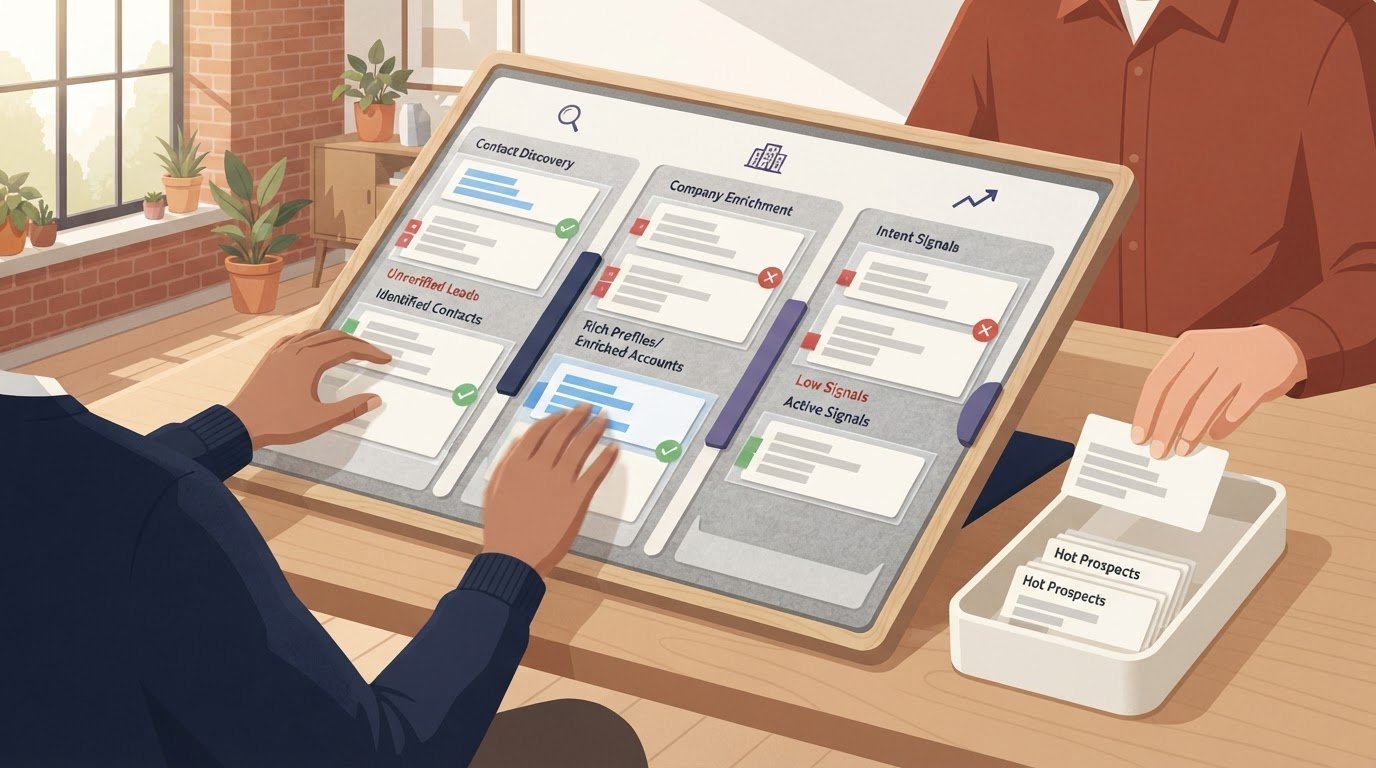
The most feature-packed tool isn’t automatically the best fit. Lead generation software for B2B helps teams identify potential business buyers, build lists of suitable leads, and move prospects into a sales process. Its features vary, so the right choice depends on how well it fits your workflow, CRM, and approach to data privacy.
It’s easy to focus on contact volume or a long feature list when comparing platforms. But useful lead data needs to connect with the systems your team already uses, support the way you qualify prospects, and be handled responsibly. A mismatch can add manual work instead of making prospecting more efficient.
This guide explains what these tools do and compares the capabilities that matter, from prospect discovery and list building to CRM compatibility and privacy practices. Use it to assess software options by function and fit, then narrow the field around your team’s actual needs instead of defaulting to the biggest feature set.
Key Takeaways
- Assess contact data quality and search filters together to see whether a platform can surface prospects that match your target audience.
- Compare privacy practices by looking at how a tool handles data and supports your team’s compliance needs.
- Map CRM compatibility to your existing workflow, including how lead details move into the records your team relies on.
- Weigh features and pricing against your use case; a focused set of capabilities may suit your process better than a longer feature list.
Privacy and GDPR: what should you watch out for?
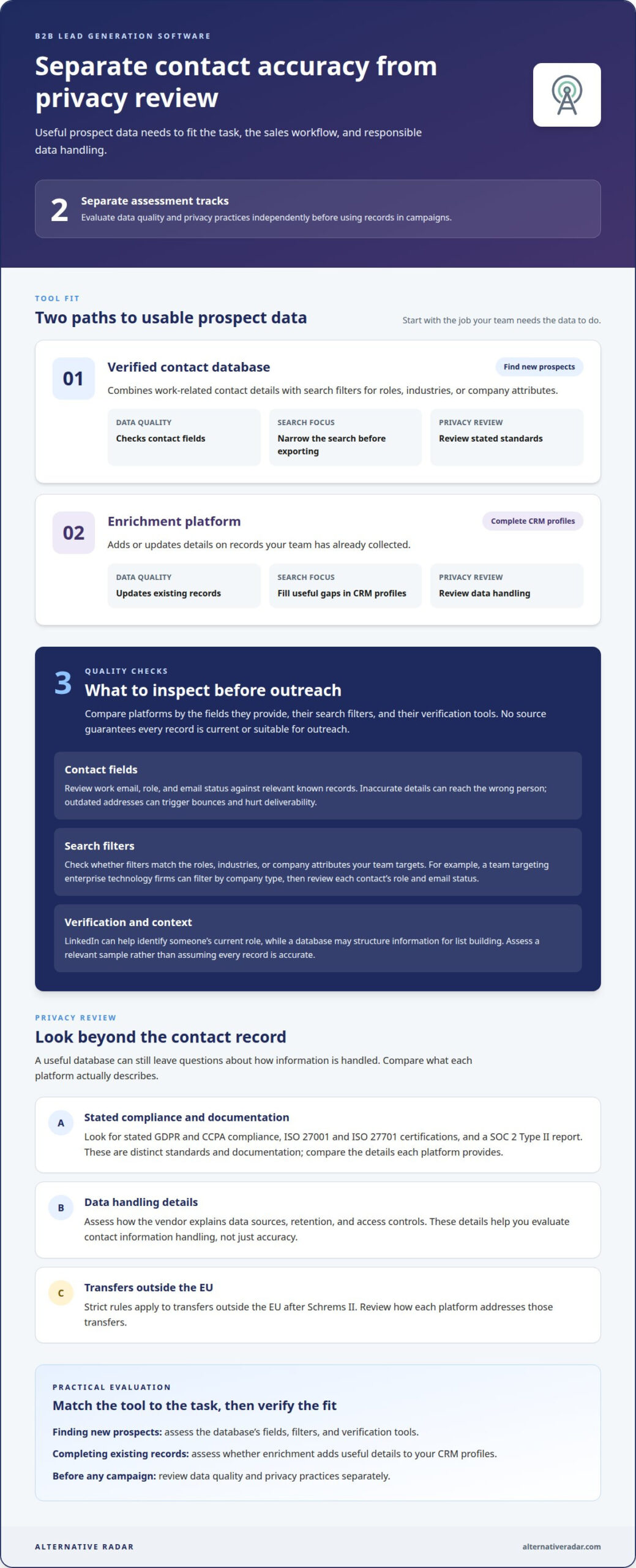
Inaccurate records can send messages to the wrong person. Outdated addresses can trigger bounces and hurt deliverability. Assess data quality and privacy practices separately before launching outbound prospecting.
A contact database may contain useful details but still leave questions about how data is handled. Assess both data quality and privacy before using records in campaigns.
Business Contact Data and Search Filters
Verified business contact data combines work-related details with filters for roles, industries, or company attributes. Use those filters to narrow your prospect search before exporting a list. This differs from enrichment, which adds or updates details on records you’ve already collected. For example, a sales team targeting enterprise technology firms can filter by company type, then review each contact’s role and email status.
Prospecting and Contact Databases
Contact databases support outbound prospecting by helping teams find potential buyers and organize their details. Compare platforms by the fields they provide, their search filters, and their verification tools. LinkedIn can help identify someone’s current role, while a database may structure that information for list building. Neither source guarantees that every record is current or suitable for outreach.
Privacy review needs its own criteria. Look for stated GDPR and CCPA compliance, ISO 27001 and ISO 27701 certifications, and a SOC 2 Type II report. These are distinct standards and documentation, so compare what each platform actually describes. For transfers outside the EU, strict rules apply after Schrems II. Also assess how the vendor explains data sources, retention, and access controls. These details help teams evaluate the handling of contact information, not just its accuracy.
| Option | Data quality | Search focus | Privacy review |
|---|---|---|---|
| Verified contact database | Checks contact fields | Find new prospects | Review stated standards |
| Enrichment platform | Updates existing records | Complete CRM profiles | Review data handling |
Choose a tool that matches your task, then assess its verification and privacy practices before outreach.
What is B2B lead generation software?
What is B2B lead generation software and how does it work?
Lead generation software for B2B helps teams identify potential business buyers and organize prospects for sales conversations. For example, after someone registers for a webinar, a team can record their company and role, assess fit, and assign follow-up. A platform may support one step or connect several activities, depending on its capabilities and the team’s workflow.
What are the best B2B lead generation software platforms in 2026?
The best lead generation software for B2B in 2026 depends on your team’s needs, not a universal ranking. An inbound-focused team may prioritize form capture and campaign attribution. A team researching named accounts may value company search and prospect records. Compare platforms against your sales process, data requirements, and technical setup, then shortlist those that address your highest-priority gap.
How do popular B2B lead generation tools compare by features and use case?
Compare tools by their primary use case. An inbound-focused platform can capture interest from a product demo request, while an account research tool helps identify potential buyers before outreach. A sales engagement tool may organize follow-up activity. Since these categories can overlap, compare the workflow each supports, such as moving from a target account to an assigned sales conversation.
Which tools provide accurate B2B contact data, intent signals, and company enrichment?
Look for platforms that explain their data fields and let you assess records using a relevant sample. Compare work email and role details against known records. For intent signals, examine what activity each represents and how recently it occurred. For enrichment, check whether company attributes fill useful gaps, such as industry, instead of adding fields your team won’t use.
What integrations should B2B lead generation software support for CRM and marketing automation?
Prioritize connections to the CRM and marketing automation systems your team already uses. Useful controls include field mapping, duplicate handling, ownership assignment, and visibility into failed syncs. For example, a campaign source should stay attached as a prospect moves from a marketing record into a CRM opportunity. Make sure the integration fits your systems’ actual record structures.
How do you choose B2B lead generation software for a small business versus an enterprise?
A small business may prioritize a focused workflow, straightforward administration, and compatibility with its existing systems. An enterprise may need role-based access, multiple teams, territory rules, and consistent data handling across departments. For example, one sales team may route new leads to a single owner, while regional teams need assignment rules. Match platform complexity to your operating structure, not company size alone.
CRM integration and compatibility
CRM integrations determine how lead details reach sales teams and the pipeline. Compare connection options by the records and context they transfer.
CRM Integrations
A CRM integration transfers prospect records between a lead platform and systems such as Salesforce. Check whether it creates new contacts, updates existing records, and preserves assigned owners. For example, a sales team may need a contact’s company, role, and source attached to one record. Check how the integration handles duplicates and whether updates flow both ways. These details distinguish a direct CRM connection from manual exports, which require separate imports and cleanup.
CRM and Marketing Integrations
CRM and marketing integrations connect prospect information with campaign activity. A platform may pass a lead source or campaign engagement into the CRM, helping teams see how a contact entered the pipeline. This differs from a CRM-only connection, which focuses on sales records. For example, connect an inbound form to a marketing system, then route qualified contacts to Salesforce. Compare which fields transfer and how teams can use them.
Map the handoff before choosing integrations. First, define the visitor action that creates a lead, such as requesting a demo. Next, decide which team owns the record and what information sales needs. If intent data or enrichment is involved, identify where those details appear in the CRM. A clear map exposes gaps before they disrupt follow-up.
Test the connection with a sample record. Confirm that its source, company details, and owner appear in the expected fields. Then update a field and see whether the change appears in the other system. This reveals sync direction, missing mappings, and duplicate handling. Compare platforms on setup effort, available integrations, field controls, and visibility into troubleshooting. Choose a tool that supports your existing workflow without forcing sales teams to rebuild their pipeline process.
Lead generation software features
Feature lists can look similar, but the workflows they support differ. Compare each capability with your sales team’s target, handoff process, and outreach plan. A tool that captures form submissions serves a different need from one that automates follow-up. Prioritize features that address a specific gap, not the longest checklist.
Start with the journey from first engagement to sales handoff. For example, a visitor downloads a guide, enters a campaign, and becomes a qualified prospect. Useful features may include:
- Lead capture: Forms collect details from inbound visitors and identify the source.
- Lead scoring: Rules help teams prioritize prospects using fit or engagement signals.
- Workflow automation: Actions can assign leads or trigger relevant follow-up steps.
- Tracking and reporting: Campaign views connect outreach activity with lead movement.
Compare how the functions work together. If a demo request arrives, a workflow might assign an owner, record the campaign source, and create a follow-up task. Check whether teams can edit the rules, see handoff status, and distinguish new prospects from existing contacts. These details matter more than a feature label alone.
Engagement features vary too. One platform may track email responses, while another focuses on form activity or campaign interactions. Match tracking to the signals your team uses to qualify interest. Then review reporting: can managers see which sources create qualified opportunities, or only count submitted forms? Clear reporting helps teams refine targeting without treating every response as equal.
Use a short evaluation: choose a real workflow, map each required step, and test whether the platform supports it. Compare setup effort, customization, and visibility across tools. For a broader view of software options, explore software comparisons and assess which features fit your process.
Alternative Radar
Once you’ve defined the features, CRM fit, and privacy criteria that matter, Alternative Radar can help you compare software options. The platform provides insights into software features, pricing, pros, and cons to support informed decisions. Use these comparisons when narrowing a shortlist or exploring alternatives that better match your workflow.
Alternative Radar also offers sponsored software placements, affiliate-linked software recommendations, and programmatic display advertising. These offerings support software discovery, while the comparison criteria in this guide help you assess options against your own needs. Focus on fit rather than choosing a tool simply because it has the most features.
Contact Alternative Radar to discuss software discovery and comparison.
Make your next comparison count
Turn your shortlist into a decision by testing each option against a real sales workflow. Define what a useful lead looks like, trace how it moves through your team’s process, and identify the signals that will show whether the tool is helping. This practical test can reveal friction a feature checklist misses.
The best lead generation software for B2B is the one your team can use consistently, with data practices and integrations that support its work. Keep your evaluation focused on that fit, then refine your criteria as your process evolves.
Alternative Radar helps readers explore software and make informed comparisons. If you’re considering software discovery or promotion options, contact Alternative Radar to discuss your needs. Move forward with a clearer shortlist and a decision grounded in your team’s priorities.
Frequently Asked Questions
What is B2B lead generation software and how does it work?
It helps business teams identify and organize potential buyers, then move suitable prospects toward sales conversations. For example, after someone registers for a webinar, a team can record the person’s company and role, assess fit, and assign follow-up. A lead generation platform may support parts of this process or connect several activities, depending on its capabilities and the team’s workflow.
What are the best B2B lead generation software platforms in 2026?
The best platform in 2026 depends on the job your team needs done, not a universal ranking. A team building inbound demand may prioritize form capture and campaign attribution. A team researching named accounts may value company search and prospect records. Compare options against your sales process, data requirements, and technical setup, then shortlist platforms that solve your highest-priority gap.
How do popular B2B lead generation tools compare by features and use case?
Compare tools by their primary use case. An inbound-focused platform can capture interest from a product demo request, while an account research tool helps identify potential buyers before outreach. A sales engagement tool may organize follow-up activity. Since these categories can overlap, compare the workflow each supports, such as moving from a target account to an assigned sales conversation.
Which tools provide accurate B2B contact data, intent signals, and company enrichment?
Look for platforms that explain their data fields and let you evaluate records using a relevant sample. To assess contact accuracy, compare work email and role details against known records. For intent signals, examine what activity each signal represents and how recently it occurred. For enrichment, check whether company attributes fill useful gaps, such as industry or employee range, instead of adding fields your team won’t use.
What integrations should B2B lead generation software support for CRM and marketing automation?
Prioritize connections to the CRM and marketing automation system your team already uses. Useful integration controls include field mapping, duplicate handling, ownership assignment, and visibility into failed syncs. For example, a campaign source should stay attached as a prospect moves from a marketing record into a CRM opportunity. Make sure the workflow fits your systems’ actual record structures, not just a connection listed by name.
How do you choose B2B lead generation software for a small business versus an enterprise?
A small business may prioritize a focused workflow, straightforward administration, and compatibility with its existing systems. An enterprise may need role-based access, multiple teams, territory rules, and consistent data handling across departments. For example, one sales team may route new leads to a single owner, while regional teams need assignment rules. Match complexity to your operating structure instead of choosing by company size alone.