
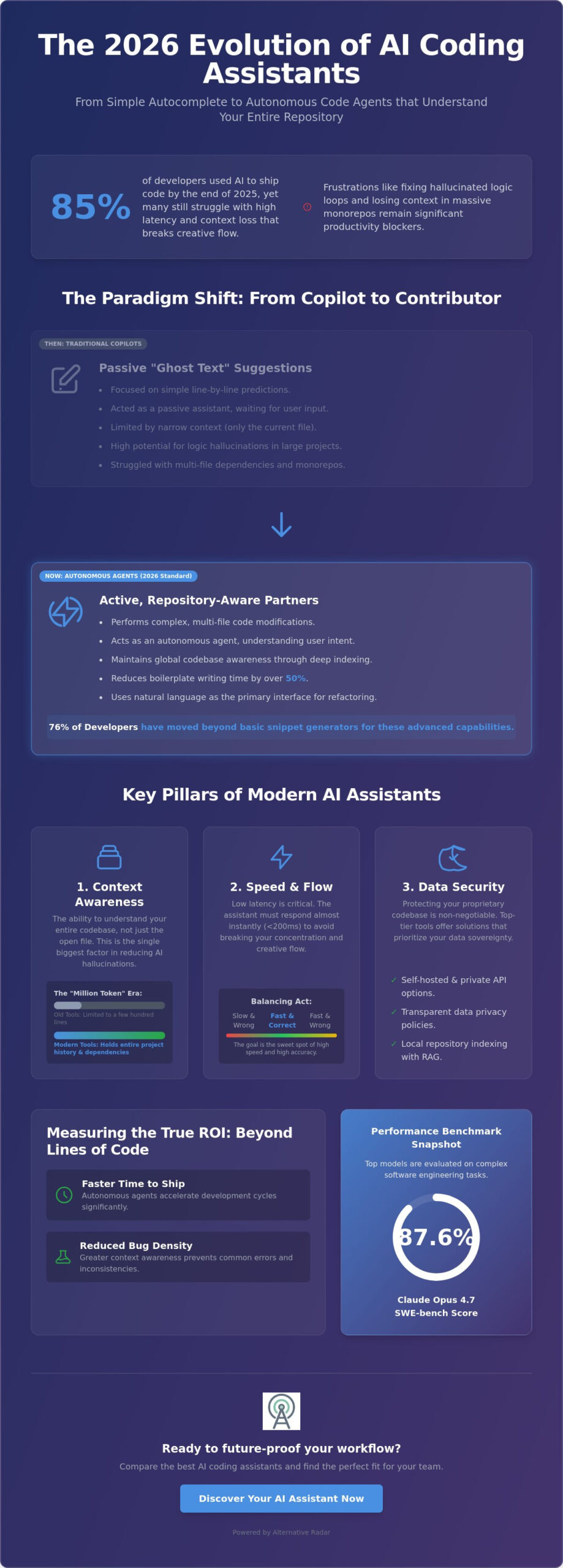
By the end of 2025, 85% of developers were already using AI to ship code, yet many still struggle with high latency that breaks their creative flow. You’ve likely experienced the frustration of fixing a hallucinated logic loop or losing context within a massive monorepo. While early AI-powered code completion tools focused on simple line predictions, the standard for 2026 has shifted toward agentic autonomy and deep repository indexing. It’s no longer enough to just autocomplete; your assistant must understand the entire codebase to be truly useful.
This guide evaluates the most efficient assistants that integrate seamlessly with VS Code and JetBrains. We’ll analyze the latest performance benchmarks, including Claude Opus 4.7’s impressive 87.6% SWE-bench score, while prioritizing tools with transparent data privacy policies. You’ll discover how to reduce boilerplate writing time by over 50% and select a solution that protects your proprietary code. We’ve done the testing so you can focus on building, comparing the top-tier options based on speed, security, and context-awareness.
Key Takeaways
- Understand the transition from basic “ghost text” suggestions to autonomous agents capable of managing complex, multi-file code changes.
- Identify how million-token context windows in 2026 eliminate logic hallucinations and maintain deep project awareness.
- Compare the industry’s leading AI-powered code completion tools, including native IDE forks and high-speed extensions, to find your ideal workflow fit.
- Secure your proprietary codebase by implementing open-source wrappers and private API keys for maximum data sovereignty.
- Learn to measure the true ROI of AI integration by tracking “time to ship” and bug density rather than simple lines of code.
Beyond Auto-Complete: The 2026 Evolution of AI-Powered Code Completion
The development landscape has shifted significantly. In 2026, AI-powered code completion tools are no longer just predictive text engines. They’ve evolved into sophisticated partners in the AI-assisted software development lifecycle. While early iterations focused on “ghost text” that guessed your next variable name, modern systems act as autonomous agents. This transition explains why 76% of developers have moved beyond basic snippet generators in favor of tools that handle logic, architecture, and execution.
We’ve moved from simple LLM wrappers, which sent small chunks of code to a remote server, to deeply integrated IDE forks. These newer platforms don’t just sit on top of your editor; they are the editor. This deep integration allows the AI to understand your project structure, run terminal commands, and modify multiple files simultaneously. It’s a move toward “Agentic Workflows” where the machine manages the tedious mechanics of coding while you focus on high-level design.
The Shift from Copilots to Autonomous Agents
Passive suggestions are becoming a relic of the past. Traditional copilots waited for you to type before offering a hint. In contrast, active agents like Roo Code and Windsurf analyze your intent. They don’t just suggest a function; they build the entire feature. Agentic AI is a tool capable of independent file manipulation, running tests, and correcting its own errors based on terminal output. This redefining of the “Pair Programmer” metaphor means the AI is now an active contributor rather than a static reference. It takes the initiative to solve problems before you even identify them.
Why Traditional Autocomplete is No Longer Enough
Narrow context is the primary enemy of productivity. Older AI-powered code completion tools often failed in large projects because they couldn’t see the relationship between a backend service and a frontend component. Today’s developers require global codebase awareness to maintain flow. When context is limited, hallucinations increase, and the time spent correcting the AI negates the time saved by the suggestion.
Modern workflows prioritize multi-file editing and repository-wide reasoning. Instead of manually refactoring ten different files to change a single data structure, you can use natural language to describe the change. The AI maps the dependencies, executes the refactor, and verifies the build. This shift makes natural language the primary interface for complex architectural changes. It reduces the cognitive load on the human developer and ensures that changes are consistent across the entire monorepo.
Evaluating AI Coding Assistants: Context Windows, Speed, and Security
Speed is the first attribute you’ll notice during a trial, but context is what determines long-term utility. If an assistant responds in 200ms but suggests a deprecated API because it can’t see your configuration files, it has failed. Modern AI-powered code completion tools must balance these two metrics to maintain your “flow” without sacrificing correctness. While low latency keeps you typing, a deep context window keeps you from debugging hallucinated logic.
The “Million Token” era has effectively solved the problem of narrow sight. When a tool can only see the last few hundred lines of code, it’s forced to guess your architectural patterns. Assistants that support massive context windows, such as Supermaven, can hold your entire project history, documentation, and dependency graph in active memory. This prevents the model from suggesting “hallucinated” functions that don’t exist in your specific version of a library. It transforms the assistant from a line-predicter into a repository-aware consultant.
Understanding Context Management and RAG
Retrieval-Augmented Generation (RAG) allows these tools to index your local repository without needing to upload every byte to a remote server. This local indexing helps overcome common roadblocks to autonomous software engineering by ensuring the AI has the right facts before it generates code. However, massive context windows come with higher inference costs. You should evaluate whether your project actually requires a million-token window or if a well-tuned RAG system provides enough precision for your daily tasks. If you’re unsure which architecture fits your codebase, you can compare specific feature sets to see which tools prioritize local indexing.
Privacy Standards for Enterprise Development
Privacy remains the primary hurdle for large-scale adoption. For professional environments, you must distinguish between “opt-out” training and “zero-retention” policies. Opt-out policies often mean your data is still processed or stored temporarily, whereas zero-retention ensures your code never touches a persistent disk. Enterprise-grade AI-powered code completion tools now offer SOC2 compliance and VPC deployment options to keep proprietary logic within your corporate perimeter.
If your security requirements are absolute, consider local model execution. Using frameworks like Ollama or Llama 3 allows you to run inference entirely on your own hardware. This eliminates the risk of data leaks but often requires significant GPU resources to match the speed of cloud-based providers. Choosing between cloud-based intelligence and local sovereignty is a decision that should be based on your team’s specific risk profile and hardware availability.
The Top GitHub Copilot Alternatives for Professional Developers
While GitHub Copilot remains a popular baseline, the 2026 market offers specialized AI-powered code completion tools that outperform it in context awareness and agentic autonomy. Developers are moving toward tools that don’t just suggest code but actively manage the workspace. Educational institutions like Yale maintain curated lists of Yale’s AI Tools and Resources, reflecting the growing importance of these technologies in professional and academic settings. If you need a tool that handles multi-file refactoring or operates within a high-security environment, these alternatives offer distinct advantages.
- Cursor: A native VS Code fork that treats the entire codebase as a single searchable entity through its “Composer” feature.
- Supermaven: The industry leader for speed, delivering suggestions in 250ms with a massive memory window.
- Windsurf: An agentic IDE that bridges the gap between chat interfaces and terminal execution.
- Sourcegraph Cody: Excels at enterprise-wide search, making it ideal for developers navigating massive, complex repositories.
- Tabnine: The preferred choice for regulated industries, offering robust self-hosted and private cloud deployment options.
Cursor vs. Windsurf: The Battle of the Agents
The primary differentiator in 2026 is how an IDE handles complex tasks. Cursor uses “Composer” to edit multiple files simultaneously, ensuring that a change in your backend logic is immediately reflected in your frontend types. Windsurf counters with “Flow” features, which allow the AI to run terminal commands and check for build errors autonomously. Evaluating these platforms is a critical step in finding the best alternative to popular software for your specific tech stack. While Cursor feels like a more polished editor, Windsurf often handles multi-step debugging tasks with higher accuracy because it can “see” the output of your tests in real time.
Supermaven and the Power of Low Latency
Latency is the silent killer of productivity. Supermaven feels invisible because its 250ms response time matches the speed of human thought. It stays out of your way until you need it. Its 1-million token window allows it to learn your specific coding style across thousands of files, which significantly reduces the need for manual corrections. This vast context window prevents the tool from suggesting patterns that clash with your existing architecture.
Pricing for these AI-powered code completion tools varies based on your needs. Supermaven offers a competitive free tier, while Cursor provides a Free tier with 200 completions and 50 requests per month. For power users, Cursor’s Pro plan costs $16 per month when billed annually. This investment often pays for itself by eliminating the cognitive load of repetitive boilerplate tasks.
Solving the Privacy Puzzle: Self-Hosted and Private AI Code Tools
Privacy remains the primary barrier for developers working with sensitive intellectual property. While integrated IDEs offer convenience, they often require a leap of faith regarding data handling and model training. To solve this, a growing ecosystem of open-source wrappers and local models has emerged. These AI-powered code completion tools allow you to maintain absolute control over your source code by separating the interface from the inference engine. This modularity ensures that your proprietary logic stays within your controlled environment.
The rise of the “Air-Gapped” developer has led to tools that require zero internet connection to function. By shifting the processing from the cloud to your local machine, you eliminate the risk of accidental data leaks. This approach is particularly valuable for industries with strict regulatory requirements where cloud-based AI is simply not an option. You no longer have to choose between productivity and security; you can have both by hosting the intelligence yourself.
Open Source and BYOK (Bring Your Own Key) Models
The “Bring Your Own Key” (BYOK) movement is led by tools like Cline (formerly Devins) and Roo Code. These extensions function as sophisticated wrappers for frontier models like Anthropic Claude 3.5 Sonnet or GPT-4o. Instead of paying a flat monthly subscription to an IDE provider, you pay the LLM provider directly for the tokens you actually consume. This approach provides granular control over which model handles specific tasks and prevents vendor lock-in. It also mirrors the broader adoption of popular open source business software in the enterprise, where transparency is a high priority. Paying for tokens is often more economical for developers who don’t require constant, high-volume assistance, as it eliminates the “use it or lose it” nature of flat-fee subscriptions.
Local Execution: Privacy without Compromise
For those requiring total data sovereignty, local execution is the final frontier. Tools like Ollama allow you to run DeepSeek-Coder or Llama 3 entirely on your own hardware. This setup ensures that zero bytes of your code ever leave your machine. However, local inference requires significant hardware resources. A high-quality coding model usually demands at least 16GB of VRAM to maintain acceptable latency. If your GPU isn’t up to the task, you’ll experience significant delays that break your development flow. Setting this up involves installing an inference server and pointing your VS Code extension to the local API endpoint. While local models might not yet match the peak reasoning depth of cloud-based frontier models, they’re more than capable of handling repetitive boilerplate and standard refactoring. If you’re ready to secure your workflow, explore our curated software comparisons to find the right privacy-first setup for your team.
Future-Proofing Your Workflow: Selecting the Right AI Radar
Selecting the right AI-powered code completion tools requires a systematic approach rather than following market hype. Don’t simply adopt the most popular option without testing it against your specific stack. Launch a two-week pilot program within a small subset of your engineering team to gather objective performance data. This allows you to evaluate how well the tool handles your unique architectural patterns before committing to a full-scale rollout.
Measuring the success of these tools goes beyond counting lines of code. Focus on high-level metrics such as “time to ship” and “bug density.” If an assistant helps you write 50% more code but increases your technical debt through poor logic, it’s a net negative. Effective integration should reduce the cognitive load of boilerplate tasks, allowing your senior engineers to focus on system design and complex problem-solving. Prioritize tool interoperability so you aren’t locked into a single ecosystem that prevents you from switching LLM providers as better models emerge.
The final verdict depends on your scale. For solo developers and startups, Cursor currently provides the most cohesive experience by merging the IDE and the agent into a single interface. Enterprise teams with strict compliance needs should look toward GitHub Copilot Enterprise or Sourcegraph Cody for their robust administrative controls and repository-wide indexing. If absolute privacy is your primary concern, hosting a local model via Ollama remains the gold standard.
A Checklist for Switching AI Assistants
Before migrating your team to a new assistant, follow these three steps to ensure a smooth transition:
- Step 1: Audit your codebase. Identify the primary languages and the total size of your repositories. Some tools struggle with legacy languages or massive monorepos.
- Step 2: Define your security threshold. Determine if your legal department allows cloud-based inference or if you require zero-retention and local processing.
- Step 3: Test multi-file refactoring. Give the tool a complex task that spans at least five files to see if it maintains context or introduces breaking changes.
The Role of Alternative Radar in Your Tech Stack
We filter the constant stream of tech hype to find tools with genuine utility. Staying updated on technical shifts, such as the evolution of programmatic display advertising and automated software trends, is vital for modern developers who need to understand the broader digital economy. Our goal is to act as your digital scout, providing the clarity needed to make smarter infrastructure choices. By selecting the right AI-powered code completion tools, you reclaim your creative time and focus on building software that matters. Use our comparisons to find the specific solution that fits your unique development rhythm.
Master Your Development Velocity
The transition from simple predictive text to autonomous agents has fundamentally changed how we ship software. Modern AI-powered code completion tools now prioritize context depth and repository-wide reasoning over basic line suggestions. As discussed, the shift toward million-token windows and agentic workflows means your assistant is no longer just a helper; it’s a project-aware collaborator. Whether you choose a native IDE fork like Cursor or a privacy-first local setup with Ollama, the goal remains the same: reducing cognitive load and reclaiming creative time. For tech professionals looking to extend this efficiency to their career search, QuickApply offers a specialized AI platform to streamline the application process. Success in this new landscape depends on your ability to filter the noise and select tools that align with your team’s specific security and architectural requirements.
To find the perfect fit for your tech stack, explore the best software alternatives on Alternative Radar. We provide objective comparisons, detailed security audits, and efficiency-driven reviews that prioritize your time and resources. Take control of your workflow by choosing tools based on logic and performance rather than just following market leaders. You have the power to build faster and more securely with the right intelligence at your side. Start optimizing your development environment today.
Frequently Asked Questions
Is AI code completion safe for proprietary company code?
Yes, it’s safe if you select tools with zero-retention policies or host models locally. Enterprise versions of AI-powered code completion tools typically offer SOC2 compliance to ensure your data isn’t stored or used for model training. Always check the specific privacy settings before indexing a proprietary repository to confirm that your code remains private.
Does using an AI coding assistant lead to more technical debt?
It depends on your review process. While AI increases output, it can introduce technical debt if you accept suggestions without verifying logic or architectural fit. Use the AI to generate boilerplate but maintain manual oversight for complex business logic to keep your codebase clean and maintainable over time.
What is the best AI coding tool for beginners learning to program?
Cursor is an excellent choice for beginners because of its integrated chat interface and “Composer” mode. It doesn’t just provide code; it explains the underlying logic and helps you debug errors in real time. This interactive approach acts as a personalized tutor, making it easier to learn syntax and project structure simultaneously.
Can I use multiple AI coding assistants at the same time in VS Code?
You can install multiple extensions, but it’s not recommended for a productive workflow. Overlapping “ghost text” from different assistants creates visual clutter and can lead to significant IDE latency. It’s more efficient to select one primary tool that fits your main language to maintain a consistent and uninterrupted flow.
How much does a professional AI coding assistant cost in 2026?
Professional plans typically cost between $10 and $20 per month for individual developers. For teams, expect to pay between $19 and $39 per seat for enterprise-grade AI-powered code completion tools. These higher tiers include essential features like single sign-on (SSO), audit logs, and IP indemnification which are critical for corporate environments.
Which AI model is currently the best for writing Python and JavaScript?
Anthropic’s Claude 4.7 is currently the top performer for these languages. Following its April 2026 release, it achieved an 87.6% score on the SWE-bench Verified benchmark. Its ability to handle complex logic and multi-step reasoning makes it more reliable for modern web development than previous frontier models.
Do AI coding tools support niche or legacy programming languages?
Support is broad but varies by the language’s prevalence in public training data. While mainstream languages are highly accurate, niche or legacy languages like COBOL or specialized DSLs may require more manual correction. Using a tool with a large context window helps the AI “understand” these patterns by analyzing your specific existing files.
What happens to my data if I use a free AI coding tool?
Free tools often treat your code as training data for their future model iterations. This is a common trade-off for zero-cost access in the cloud. If you’re working on sensitive projects, avoid free cloud-based versions and opt for local execution or paid “zero-retention” plans to ensure your intellectual property is protected.