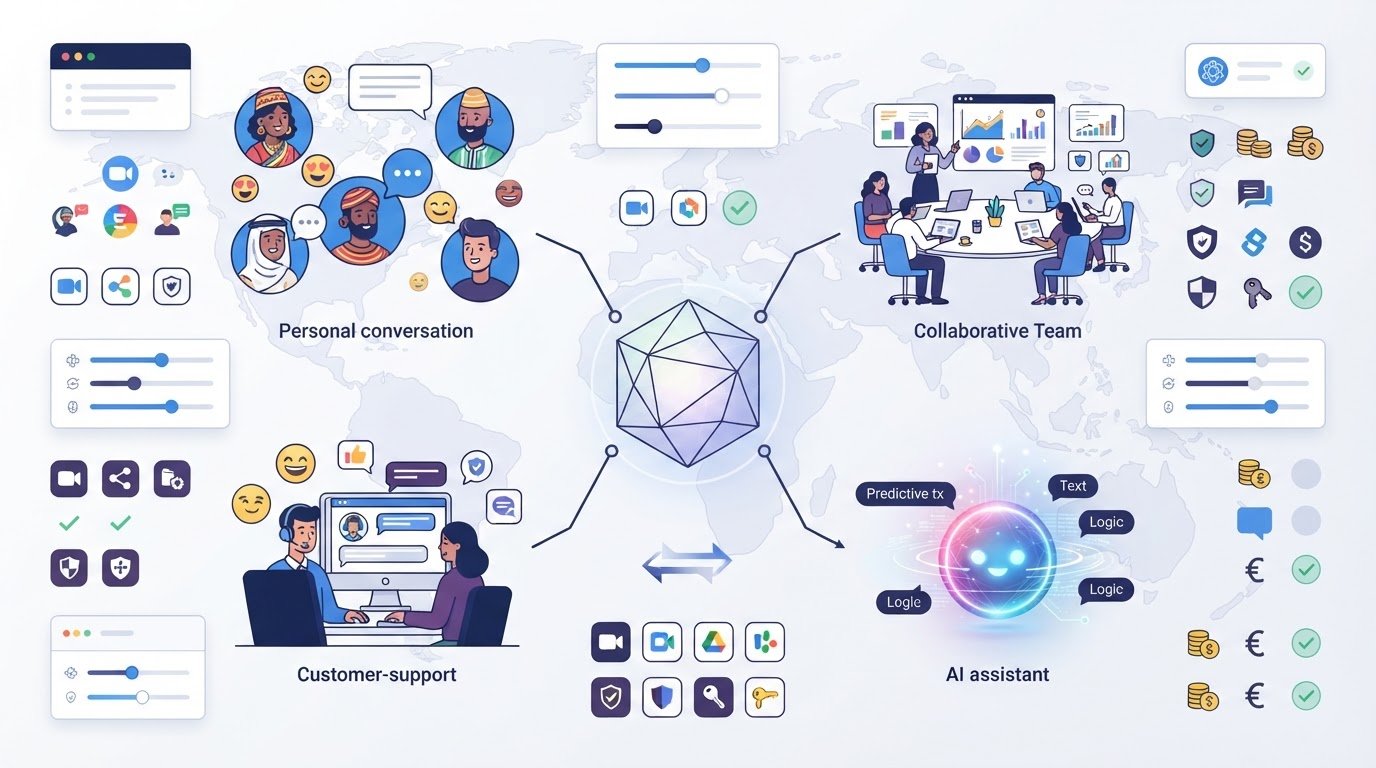
The most popular chat app may be the wrong alternative for your conversations. “Chat alternatives” can mean team messaging, customer support chat, or AI assistants, and those tools solve different problems. A search can mix them together, leaving you to compare features and plans that aren’t designed for the same kind of communication.
It makes sense to look for one clear winner, especially when switching tools can interrupt familiar conversations and workflows. But the better choice depends on who you’re talking to, what the tool needs to do, and how it fits your existing setup.
This guide compares chat-tool categories and their practical trade-offs, including features, licensing models, and the effort involved in testing or switching. You’ll learn how to narrow your options by use case instead of popularity, then identify a manageable next step. Alternative Radar helps you compare free, open-source, and premium options using feature, pricing, and pros-and-cons information.
Key Takeaways
- Start by identifying the conversation you need to replace, from personal messaging to customer support or AI chat.
- Prioritize practical fit: access controls, message history, search, integrations, and administration matter differently across use cases.
- Compare chat alternatives by strengths, trade-offs, and licensing model, not popularity alone.
- Test a shortlist before switching, and plan for migration rather than assuming messages and settings will transfer automatically.
- Use feature, pricing, and pros-and-cons comparisons to narrow options to a manageable shortlist.
Chat alternatives: first identify the conversation you need to replace
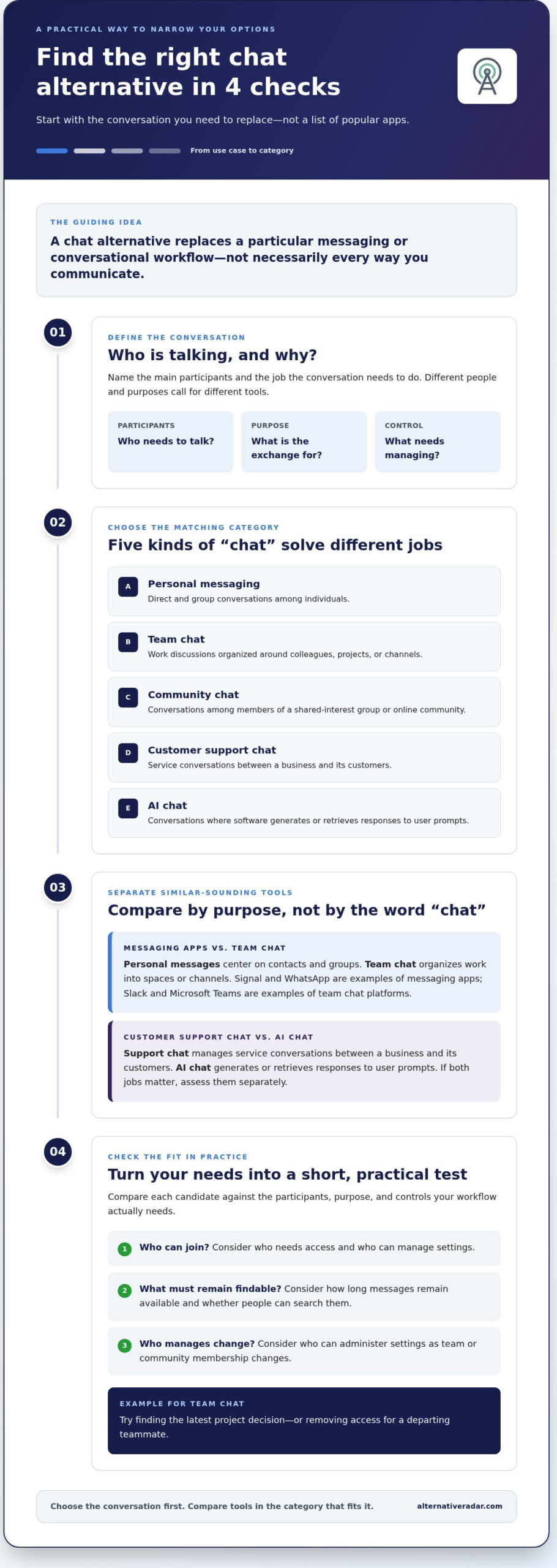
A chat alternative replaces a particular messaging or conversational workflow, not necessarily every way you communicate. The term can refer to a personal messaging app, a workspace for colleagues, a community platform, a customer service inbox, or an AI assistant. These categories all use messages, but they serve different participants and tasks. A useful search for chat alternatives starts with the conversation, not a list of popular brands.
First, identify who needs to talk, what the exchange is for, and what needs to be controlled. Friends coordinating plans have different needs from colleagues who must find project decisions later. A support team handling customer questions has different needs again. The overview below separates the main categories before comparing individual tools.
- Personal messaging: Direct and group conversations among individuals.
- Team chat: Work discussions organized around colleagues, projects, or channels.
- Community chat: Conversations among members of a shared-interest group or online community.
- Customer support chat: Service conversations between a business and its customers.
- AI chat: Conversations where software generates or retrieves responses to user prompts.
Choose the category that matches your primary workflow. Then compare how each option handles participants, conversation purpose, and control requirements. For example, consider who can join, how long messages remain available, and who can manage settings.
Messaging apps versus team chat platforms
Messaging apps such as Signal and WhatsApp are familiar examples of person-to-person communication, while Slack and Microsoft Teams are commonly used for organized work conversations. The distinction is purpose: personal messages typically center on contacts and groups, while team chat separates work into spaces or channels. For background on how messaging developed, see Instant Messaging on Wikipedia.
For team use, consider whether people can find older decisions, search conversations, and manage access as colleagues join or leave. A small group with occasional messages may need less structure than a distributed team coordinating ongoing work. Check message-history limits, search behavior, integrations, and administrative controls against a real task, such as finding the latest project decision or removing access for a departing teammate.
Customer support chat versus AI chat
Customer support chat is designed to manage service conversations between a business and its customers. It may connect incoming questions with agents and broader support workflows. AI chat has a different core function: it uses software to generate or retrieve responses during a conversation. Some support products may include AI capabilities, but that doesn’t make the two categories interchangeable.
Clarify the need: are customers asking your team for help, or do users need conversational answers from an AI system? If both apply, compare them as separate jobs. The right fit depends on the participants and purpose, plus how much control you need over access, records, and administration.
Which chat alternative features matter for your day-to-day use?
Start with the work a tool must support, then compare the features that affect that work. A team trying to find project decisions needs reliable history and search. A community may put more weight on member access and moderation controls. A support team may need conversations connected to its service workflow. A long feature list won’t tell you which tool fits unless you connect each capability to a real task.
A capability is something a tool can do; a must-have is a capability your workflow can’t function without. Separate requirements from preferences before comparing options. For instance, if your team needs to retrieve past decisions, history and search may be essential; appearance options may simply be nice to have.
For each candidate, assess the following against your day-to-day needs:
- Access and administration: Who can join, create spaces, manage settings, or remove accounts? Consider what happens when team or community membership changes.
- Message history and search: How far back can people find conversations, and can they search for a decision, file, or keyword? These details matter if chat doubles as a working record.
- Integrations: Which tools need to connect to chat, and what information or actions should pass between them? Focus on workflows people already use.
- Devices and usability: Test the devices your participants rely on. A feature has limited value if it’s awkward to use where conversations happen.
Privacy, access, and control requirements
For teams and communities, access management is part of the communication workflow. Define who can invite members, control shared spaces, and administer accounts. Review the provider’s current privacy documentation and retention settings to understand how conversations are handled and kept. Compare specific controls relevant to your use, rather than treating a broad security label as a substitute for checking settings.
Integrations, devices, and licensing
Review current documentation for supported integrations, device options, and plan limits. A connection may be available only on certain plans, so note the plan alongside each feature. Compare free, open-source, and premium licensing as distinct models: access, features, administration, and responsibilities can differ. Don’t assume a free tier includes the controls a group needs, or that open-source software includes a hosted service.
Turn the comparison into a simple scorecard. Mark each item as essential, useful, or unnecessary, then compare candidates against the essentials first. If staff must retrieve past decisions, for example, message history and search may be requirements. Optional themes may not affect the workflow. This keeps attractive extras from outweighing a practical gap.
As you evaluate chat alternatives, record the exact plan or licensing model alongside each feature. That makes trade-offs visible and gives you a clearer shortlist. Alternative Radar brings software features, pricing information, pros and cons, and licensing models together for comparison. Compare software options against the requirements you’ve identified.
Compare chat alternatives by use case, not by popularity
A useful comparison starts with the job each tool needs to do. The same feature can matter differently across personal messages, team coordination, customer service, and AI conversations. Treat named tools as starting points, not automatic recommendations, and review current capabilities, privacy details, and plan limits before deciding.
| Use case | Examples | Strengths to compare | Trade-offs to check | Licensing model |
|---|---|---|---|---|
| Personal messaging | Signal, WhatsApp | Direct and group communication | Account requirements, privacy controls, and fit for your contacts | Check provider terms and current account requirements |
| Distributed teams | Slack, Microsoft Teams | Organized workplace collaboration and searchable work conversations | Plan limits, administration, and fit with existing workflows | Commercial plans; free access and limits vary by provider |
| Online communities | Discord | Spaces for ongoing member conversations | Moderation needs, access management, and community fit | Provider terms and optional paid features may vary |
| Customer service | Intercom, Zendesk, LiveChat | Tools built around business-to-customer support workflows | Seat or usage-based charges and the service features included | Commercial plans; billing structures differ |
| AI conversations | Claude | Conversational responses from an AI system | Usage limits, plan terms, and suitability for the task | Subscription or usage-based options may apply |
Use this as a screening framework, not a complete feature audit. Plans and capabilities can change, so review current details before relying on a particular integration, privacy control, or licensing term.
Alternatives for teams and online communities
Slack and Microsoft Teams are workplace collaboration examples; Discord is often considered for community-oriented conversation. Compare how each structures shared discussions and supports the way your group works, rather than assuming a channel or space serves the same purpose everywhere. If your search is specifically about workplace collaboration, explore this Slack alternatives guide. Familiarity and established workflows can outweigh a longer feature checklist.
Alternatives for private messaging and customer conversations
Signal and WhatsApp are personal messaging examples, not replacements for a business support workflow by default. Review each option’s privacy information and account requirements. For customer service, compare tools such as Intercom, Zendesk, and LiveChat by support workflow and billing model. AI assistants address another need: conversational responses from software. Keep these categories distinct, then shortlist chat alternatives that match your participants and purpose.
Plan a chat-tool switch without disrupting conversations
Changing chat tools affects more than the app people open. Messages, shared files, access settings, and familiar routines may all be tied to the current platform. Reduce disruption by treating the switch as a small rollout with clear decision points, rather than changing everyone’s workflow at once.
Migration capability depends on both the source and destination tools. Don’t assume a new chat alternative will automatically transfer messages, files, settings, or account details. Export and import options vary, and some information may not move in a usable format. Review the documentation for both platforms before setting a changeover date.
Use this sequence to keep the process manageable:
- Define the need. Specify what the current tool isn’t doing well and which workflows must continue. Separate must-haves from improvements that would simply be useful.
- Build a shortlist. Compare a small set of candidates against those requirements, including licensing, plan limits, and critical integrations. Avoid adding options that don’t address the core need.
- Test real conversations. Run a focused trial using representative tasks, such as finding an earlier decision or coordinating a handoff. Include regular users and administrators.
- Plan the migration. Decide which information needs continuity, how users will gain access, and when the old tool will stop being used. Base the plan on documented export and import options.
- Review adoption. After rollout, ask whether people can complete everyday tasks and identify gaps that need attention. Use those findings to adjust guidance or workflows.
Run a focused trial before committing
Test the shortlist against your must-have requirements using realistic conversations, not a tour of every feature. Ask participants to complete familiar tasks in each candidate and note where they get stuck. Include people who will manage accounts or settings, since their work may differ from that of everyday users. Set a review point before the trial begins, then assess usability, workflow fit, and missing capabilities against the same criteria for each option.
Prepare users and preserve useful information
Before switching, identify which conversations, files, and records people will need afterward. Review the current provider’s export and retention options, then compare them with the destination tool’s import capabilities. If a direct transfer isn’t available, decide how essential records will remain accessible and who needs them. Keep the plan focused on information people actually rely on.
Give affected users practical notice: explain the timing, any access changes, where relevant information will live, and how to start using the new tool. A concise guide to core workflows can prevent confusion during the transition. Before choosing among chat alternatives, compare features and licensing options on Alternative Radar’s software comparison platform to refine your shortlist.
Find and compare chat alternatives with Alternative Radar
You’ve identified the conversation you need to support and the requirements a replacement must meet. Keep the comparison focused: shortlist tools built for the same communication job, then weigh their features, pricing information, pros and cons, and licensing model. Comparing a customer-support platform with a personal messaging app won’t clarify which one better fits your workflow.
Alternative Radar helps readers discover software options across free, open-source, and premium categories. Its comparisons help you organize candidates around practical differences instead of brand popularity. For broader advice on finding software replacements across categories, see the complete software alternatives guide.
Turn your requirements into a shortlist
Use the category you selected, your must-have features, and your licensing preference as filters. Keep each comparison like-for-like: compare team collaboration tools with other workplace tools, support platforms with support platforms, and AI conversation tools with options designed for similar tasks. This makes trade-offs easier to see and prevents a strong feature in one category from distracting you from a basic mismatch in another.
As you review candidates, organize the decision around a few concrete questions:
- Does it fit the conversation? Confirm that its intended use matches the people and workflow it needs to serve.
- Does it meet the essentials? Compare the capabilities you marked as requirements, not just the features that look appealing.
- Does the licensing model fit? Distinguish free, open-source, and premium options, and note relevant plan limits.
- What are the trade-offs? Weigh listed pros and cons against your needs, rather than treating every difference as equally important.
Use the comparison to narrow the field, not to assume details that can change. Before making a final selection, review each option’s current features, pricing, privacy controls, and plan limits. Give extra attention to details that affect your decision, such as a required integration or a specific history limit.
Take the next step with a practical comparison
A focused shortlist gives you a clear basis for further evaluation. Alternative Radar supports software discovery and comparison. Use its listings to compare relevant features, pricing information, pros and cons, and licensing models, then continue your evaluation with the requirements that matter to your use case.
Explore chat software options on Alternative Radar and compare candidates at your own pace.
Choose your next chat tool with confidence
Your next step doesn’t need to be an immediate, full-scale switch. Treat the decision as a focused experiment: choose one workflow, involve the people who rely on it, and define what a successful trial would look like. Name someone to gather feedback and note tasks that take extra steps. Set a review date so the trial doesn’t become an indefinite parallel system.
Use what you learn to choose chat alternatives for your context, not someone else’s feature checklist. Alternative Radar helps you compare software features, pricing information, and pros and cons while exploring free, open-source, and premium options. Revisit your priorities and assess candidates against the needs that matter most.
Compare chat software alternatives on Alternative Radar and build a shortlist that reflects your requirements. Start small, learn from the trial, and move forward when the fit is clear.
Frequently Asked Questions
Is there one chat alternative that works for everyone?
No. The right choice depends on the people communicating and the job the conversation needs to do. A family coordinating plans, a project team sharing decisions, and a support team handling customer requests have different needs. Before comparing chat alternatives, write down one routine conversation you want the tool to support, who participates, and what a successful exchange looks like. Use that scenario to rule out mismatched categories.
What is the difference between a chat app and a team messaging platform?
A chat app generally centers on direct and group conversations, while a team messaging platform often provides spaces to organize work discussions. Product labels aren’t enough to establish a fit. Examine how a tool handles a task such as locating a decision made earlier or removing access for a departing teammate. That practical check can reveal whether its history, administration, and conversation structure suit your team.
Can I switch chat apps without losing my message history?
Possibly, but don’t assume every message or attachment will carry over. Before a full change, test with a small, representative set of conversations. Check whether replies remain connected to their original messages, attachments open correctly, and dates or participant details are retained. If an important record doesn’t transfer cleanly, decide how people will refer to it afterward, rather than discovering the gap during everyday work.
Are open-source chat alternatives better for privacy?
Not automatically. Access to source code can make inspection and modification possible, but privacy also depends on how the software is hosted, configured, maintained, and governed. Compare the deployment model and data-handling documentation with your actual needs. Consider who administers the system and which parties can access stored conversations. Treat source availability as one factor, not proof of a particular privacy or security outcome.
How do I choose a chat alternative for a small team?
Start with a real team task, such as coordinating a project handoff or discussing an issue with an external collaborator. Identify the conditions that would make the tool unsuitable, then test those workflows with the people involved. A short trial can reveal friction that a feature list misses, such as unclear conversation organization or extra steps to find shared information. Review current plan limits before selecting a tool.
What happens if a chat alternative does not support my integrations?
A missing integration may interrupt a workflow or require a different process. Trace the task from start to finish: note what information enters the chat, what action happens next, and who needs the result. Then evaluate any documented alternative against that complete process, not just whether it connects. If the workaround adds manual steps or leaves information out, record that as a trade-off before adopting the tool.