
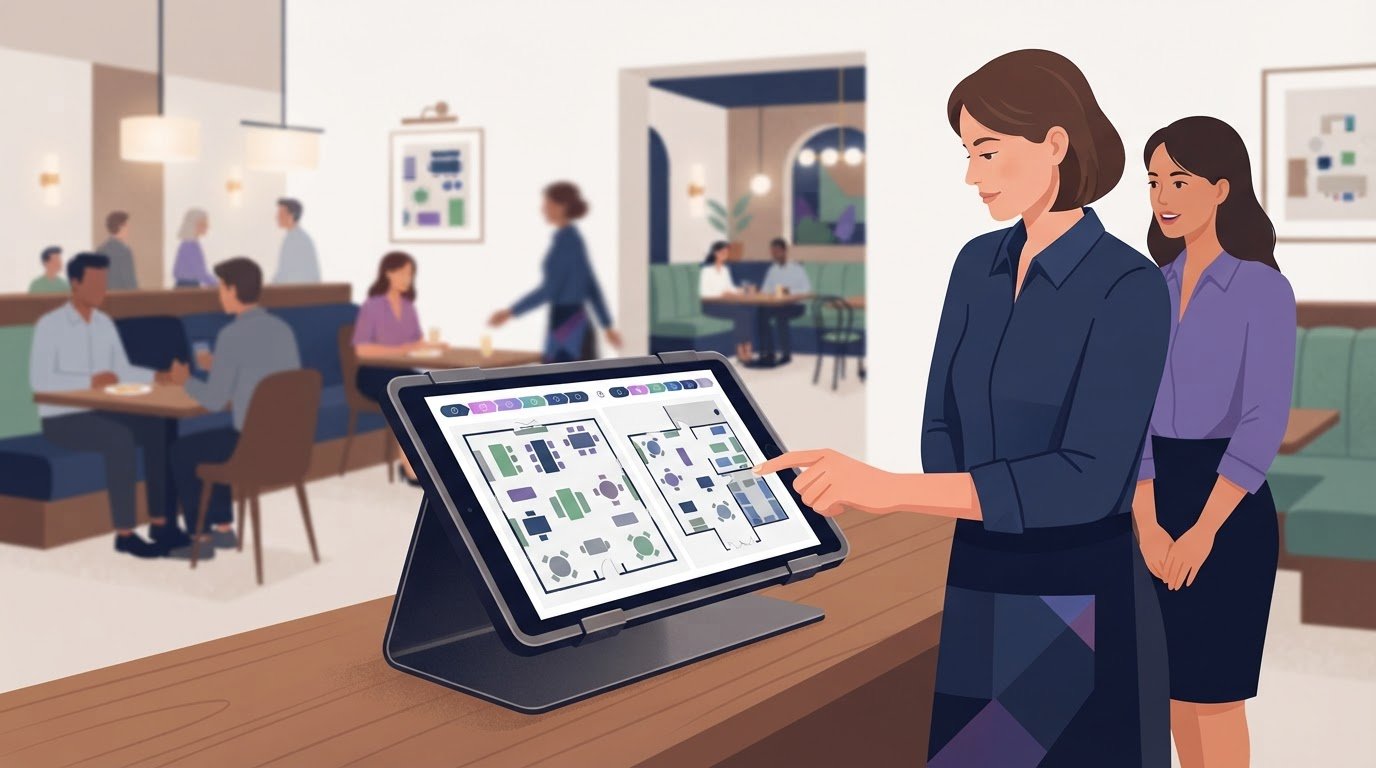
The best restaurant reservation systems aren’t necessarily the ones with the most features. They let guests book tables online, and some also send confirmations or reminders and help staff avoid errors such as double bookings. For a restaurant group, compare how clearly each system manages availability and booking flows at every location.
Separate online booking from the reservation policy. Reservations let guests book ahead; a first-come, first-served approach seats guests without advance bookings, which may suit some small or casual restaurants. For a group, compare how systems present each venue to guests, manage bookings across locations, and support each restaurant’s seating approach.
This guide explains how online booking works, what to look for when coordinating locations, and how reservation options differ. Use the practical comparison framework to assess centralized systems and location-specific setups, focusing on the fit between the tool, your service style, and the way guests book.
Key Takeaways
- Use guest insights and performance reports to compare booking patterns across locations and spot where service or seating plans may need adjustment.
- Compare pricing structures and booking limits against your expected reservation volume, location count, and required features.
- Choose between centralized management and location-specific controls based on how consistently each restaurant follows the same booking process.
- Compare reservation options by guest experience, staff workload, and operational fit rather than feature count alone.
Can I manage multiple restaurant locations?
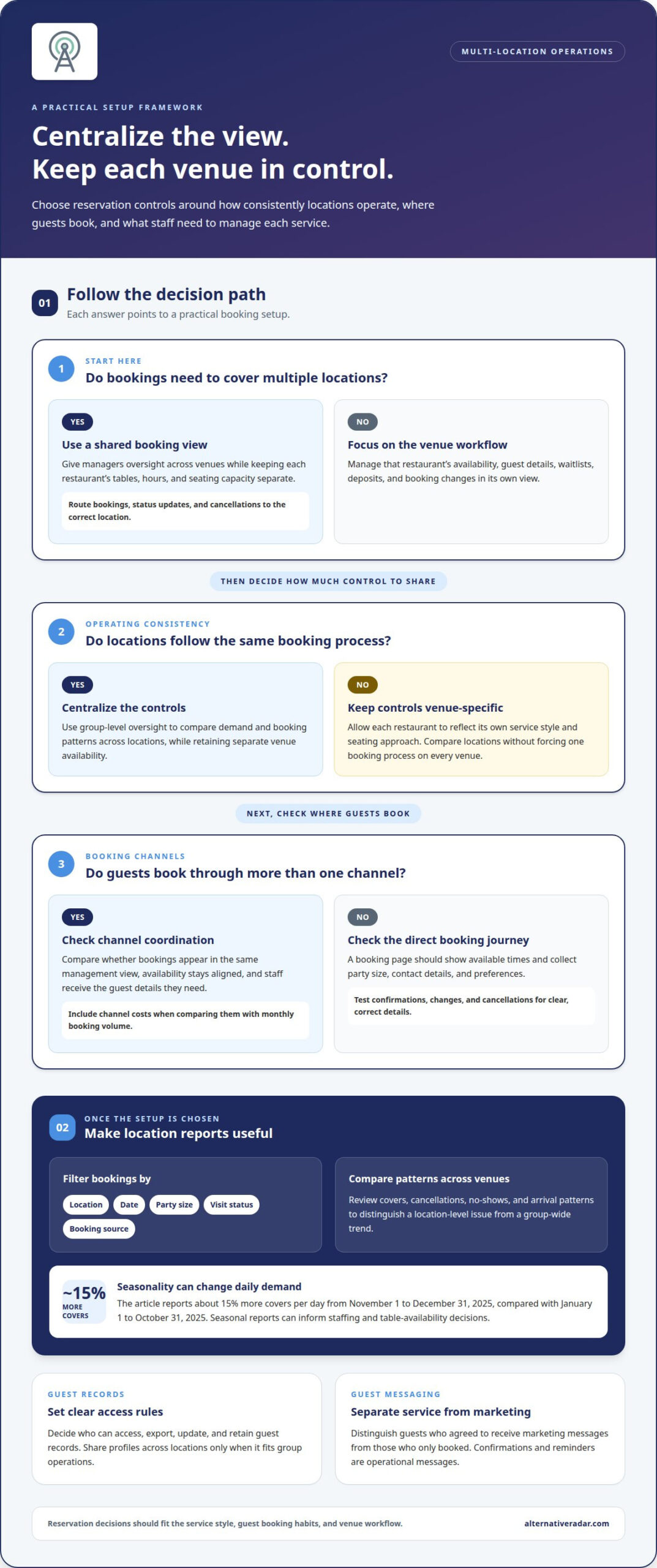
Yes. Shared platforms can centralize bookings across restaurant locations. Each venue can keep separate tables, hours, and seating capacity. Managers can compare covers, cancellations, no-shows, and arrival patterns by restaurant. This helps identify a location-level issue versus a group-wide trend. During November 1 to December 31, 2025, restaurants seat about 15% more covers per day. That compares with January 1 to October 31, 2025. Seasonal reports can guide staffing and table availability decisions.
Useful guest insights depend on clear report filters. Compare bookings by location, date, party size, visit status, and booking source. One restaurant, for example, may attract more early-evening bookings while another fills later tables. Review recorded preferences, such as seating requests, alongside arrival patterns. Staggering seatings can help match customer flow with system capacity, according to Northwestern University’s Kellogg School of Management. Reports are most useful when managers can review these patterns by venue.
Guest profiles and booking history can help staff prepare for returning guests. A profile might show previous visits, party size, or recorded preferences. Share these details across locations only when it fits the group’s operations. Clarify who can access, export, update, and retain guest records. For marketing, distinguish guests who agreed to receive messages from those who only booked a table. Confirmations and reminders are operational messages, not promotional ones.
Feedback tools can connect a guest’s visit to a specific location and booking. Set a clear process: invite feedback after dining, tag responses by venue, and review recurring themes. A guest might praise service on Google but mention a long wait in direct feedback. Track NPS over time alongside comments, cancellations, and repeat bookings; the score alone won’t explain a change. Managers can use this context to assign follow-up and adjust the relevant location’s service process.
What is an online restaurant booking system?
A booking system lets diners reserve online and helps staff manage availability, guest details, and changes. Compare how it handles privacy, payments, accessibility, and everyday booking tasks.
Booking Pages and Reservation Management
An online booking page shows available times and collects party size, contact details, and preferences. Staff use the management view to update availability and handle waitlists, deposits, and cancellations. Privacy practices should explain how guest data is used and retained. Payment steps should clearly state any deposit or cancellation terms. Accessible forms should offer clear navigation and readable instructions.
Compare booking limits and software costs against expected monthly volumes. Check whether plans distinguish between bookings, locations, or features. Estimate costs at quieter and busier volumes using the plan’s stated pricing basis, rather than comparing headline prices alone.
Booking Confirmations and Reminders
Automated confirmations tell guests their reservation details were received; reminders can repeat the date, time, party size, and location. Check whether staff can edit message content and manage delivery preferences. Clear messages reduce confusion, while incorrect details can create extra work. Test the full booking journey, including changes and cancellations.
Booking Channels and Direct Reservations
Diners may book through a restaurant’s own page or a third-party platform such as OpenTable. Google searches can also help diners find booking options. Compare how bookings from each channel appear in the same management view, whether availability stays aligned, and what guest details staff receive. Direct reservations create a direct booking relationship; external channels may provide another discovery route. Include channel costs in the comparison with monthly volume.
Booking history and guest profiles can help staff recognize returning diners and recorded preferences. Keep profile fields useful and consistent across channels, so staff can distinguish a confirmed booking from an inquiry.
Hardware and Integrations
Setup depends on the restaurant’s workflow. Staff need an internet-connected device to view and update bookings; a host stand might use a tablet or computer. Check whether the platform connects with tools already used for guest records, payments, or restaurant operations. Map the existing workflow first, since integration needs can affect setup effort. Online reservations make booking more accessible, but staff still need to monitor changes and keep availability accurate.
For another way to explore software options, browse restaurant booking software recommendations.
Managing multiple restaurant locations
For a restaurant group, shared oversight must preserve each venue’s operating details. Compare how centralized booking controls work with table assignment, floor management, and guest relationships.
Centralized Reservation Management
A shared view lets managers review bookings across venues while keeping each location’s availability separate. Garces Group operates 12 locations across Pennsylvania, New Jersey, and New York, illustrating why location filters matter. Staff should be able to route a booking to the correct venue, update its status, and manage cancellations without changing another restaurant’s schedule. Group managers can then compare demand and booking patterns across locations.
Customer relationship management features can connect guest records with booking history and preferences. Decide which details staff across the group should see and which should remain venue-specific. A manager, for example, may need a group-level view, while a host needs the guest’s notes for tonight’s booking. Clear access rules keep records useful without cluttering daily work.
Table Assignment and Floor Management
Table assignment matches party size and booking time with available seating. Check whether staff can adjust assignments when a guest arrives early, party size changes, or a table becomes unavailable. A floor view should clearly distinguish occupied, reserved, and open tables. That visibility helps hosts manage arrivals and avoid assigning a table twice.
Check whether staff can move bookings between tables without losing guest details. A larger party may need joined tables, while a smaller group can use a newly available table. The system should keep the booking connected to the right party and time. Review how staff record delays, cancellations, and seating changes during service.
Table and Floorplan Management
Each location needs a floorplan that reflects its actual layout, rather than a group-wide template that obscures differences. Check how managers add tables, mark unavailable sections, and update seating arrangements. A dining room with a patio, for instance, needs a clear way to separate indoor and outdoor availability. Accurate layouts help staff find suitable seating without opening tables the venue cannot use.
Review how table combinations, deposits, and payment notes appear in the booking workflow. If a reservation requires a credit card or deposit, staff should see the relevant details before the guest arrives. Compare how changes sync across the floorplan and booking record. Consistent updates let each location manage its service while keeping group oversight practical.
Restaurant reservation system comparisons
The right choice in the United States depends on your restaurant’s workflow, not a universal ranking. Compare booking channels, integration options, guest data controls, and relevant charges. A single-site restaurant may prioritize a simple booking flow, while a group may need shared oversight and separate venue settings.
Start with the operating model. A direct-booking tool focuses on reservations through a restaurant’s own channels. A marketplace-led platform can also help diners discover restaurants, while a point-of-sale-connected system links bookings with existing workflows. These categories can overlap, so compare what each platform actually connects and how staff use it during service.
Next, map the full booking journey. Make a test reservation, change its time, then cancel it. Check whether the guest receives an automated confirmation at each relevant step. Review how updates appear for staff and whether availability stays aligned across connected channels. For a multi-location group, test a booking at one venue while viewing another location’s schedule.
Compare charges by how they are calculated, not just by their labels. A plan may charge by subscription, booking volume, or specific features. Estimate quieter and busier monthly booking volumes, then apply each provider’s stated pricing model. Include channel-related charges and integration costs without assuming a low starting rate means a lower total cost.
Finally, weigh daily usability against flexibility. Can hosts quickly find a reservation, record a guest preference, or handle a walk-in? Can managers control access to guest profiles and reports? Strong restaurant reservation systems fit the team’s routines while supporting the data and connections the business needs. Narrow your options by operational fit, not popularity alone.
Explore software recommendations for restaurant booking to compare options against your requirements.
There is no single best system for every U.S. restaurant. Compare direct-booking, marketplace-led, and point-of-sale-connected options based on your team’s workflow, integrations, guest data controls, and pricing model.
Alternative Radar
Alternative Radar helps readers discover and compare software options when narrowing down reservation tools. Its recommendations let you explore alternatives, while sponsored placements offer another way to find relevant products. Assess each option against your priorities, such as managing bookings across locations, connecting existing tools, or controlling booking costs.
Use these resources after defining what your restaurants need. A single venue may prioritize straightforward booking management, while a group may focus on location-level controls and shared reporting. Affiliate-linked recommendations and sponsored placements are distinct ways software may be presented, so compare product details and fit with your workflow.
Explore Alternative Radar to discover and compare software options for your restaurant’s booking needs.
Make the next comparison practical
Before choosing a tool, define what success looks like at each location. Decide which booking steps should stay consistent and where managers need flexibility. Then assess restaurant reservation systems against the work your teams handle every day. A focused shortlist makes the decision easier to explain and implement.
Alternative Radar supports software discovery through programmatic display advertising, sponsored software placements, and affiliate-linked recommendations. These options help readers explore software and compare relevant products while keeping operational fit at the center of the decision.
Contact Alternative Radar to explore options as you continue your search. Choose the platform that suits your restaurant group’s workflow, and move forward with a clearer basis for your decision.
Frequently Asked Questions
Which reservation system should you choose?
Choose the system that fits your service model and daily workflow. A restaurant handling bookings at one venue may prioritize straightforward host controls, while a group may need venue-level access and consolidated oversight. Shortlist options based on essential tasks, then compare them using the same booking scenario. For example, test a party-size change and see how easily staff can update the reservation.
What is a restaurant reservation system and how does it work?
A restaurant reservation system records guest requests and helps staff organize seating availability. A diner selects a time and party size, submits contact details, and receives a booking response. Staff use the reservation record to prepare for arrival and handle changes. If a guest calls to adjust their party size, for instance, staff can update the booking instead of relying on a separate note.
What features should restaurants look for in reservation software?
Prioritize features that solve a specific service problem. A host may need a clear view of upcoming arrivals, while a manager may value reports comparing locations or booking channels. Also consider staff permissions, guest record controls, and how changes are logged. A feature is useful when it reduces manual steps without making routine tasks, such as moving a booking, harder.
How much do restaurant reservation systems cost, including monthly fees and per-cover charges?
Costs depend on each provider’s pricing model, which may use a recurring fee, booking volume, or charges tied to covers. Compare the total against your expected booking activity and include any feature or channel charges. For example, assess a quiet service period and a busy one against the same plan. This shows how the model may fit changing demand without relying on a headline price.
How do reservation systems reduce no-shows and manage overbooking?
Systems can send booking confirmations and reminders, giving guests a chance to notice incorrect details or cancel. Accurate availability records also reduce the risk of accepting overlapping bookings for the same table. Set a clear cancellation process: update the reservation promptly, release the table, and make it available again. Reminders can support attendance, but they don’t replace sound capacity management or staff oversight.
What are the best restaurant reservation systems in the United States?
There is no universal best system; the right choice depends on your workflow. Compare booking channels, integrations, guest data controls, pricing, and how well the system manages availability across locations.