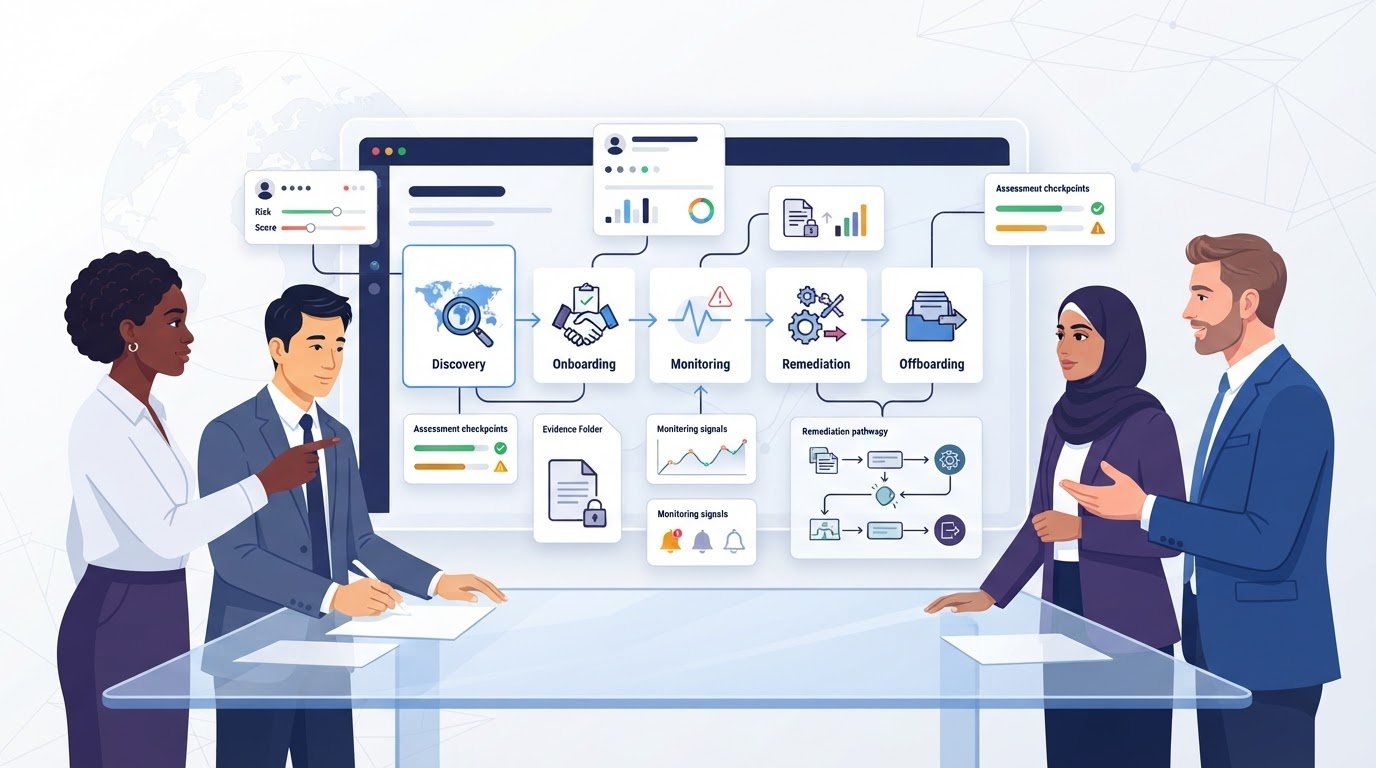
The vendor risk management software with the longest feature list may be the wrong choice. If assessments still mean repeating questionnaires, chasing evidence across teams, and piecing together risk from scattered records, more features alone won’t fix the workflow.
Choosing a platform can feel harder than it should. Product pages often spotlight automation, monitoring, and AI, but the useful question is whether those capabilities match your risks, team, and existing process. This guide shows you how to compare options using workflow fit, risk visibility, and practical requirements, so you can build a shortlist around what your organization needs rather than marketing claims or popularity.
You’ll see which capabilities matter across vendor assessment, ongoing monitoring, and remediation, plus how to weigh integrations, implementation demands, and available resources. Use the criteria to separate essential functions from extras and find software that can support your vendor risk program as it operates today.
Key Takeaways
- Separate the software’s role from your wider vendor risk management program to clarify which tasks a tool needs to support.
- Map discovery, onboarding, assessment, monitoring, remediation, and offboarding to see where software could help manage your vendor lifecycle.
- Compare vendor risk management software by workflow coverage, evidence handling, reporting, integrations, and configuration, not feature counts alone.
- Document vendor volume, criticality, assessment frequency, ownership, and process bottlenecks before building a shortlist.
- Choose based on risk exposure, team capacity, and established workflows. No single approach fits every organization.
What Is Vendor Risk Management Software, and What Should It Help You Do?
Vendor risk management software helps organizations organize vendor information, assess third-party risks, and coordinate oversight across external relationships. It can centralize records, assessments, evidence, review status, and follow-up actions, giving teams a clearer view of what they know about each vendor and what still needs attention.
The software is one part of the process. Your vendor risk management program sets the policies, risk thresholds, roles, and decisions that guide how vendors are reviewed and managed. A tool can support those rules, but people still need to define ownership, interpret findings, approve exceptions, and decide how to respond. For a broader overview of the practice, see Third-party management (often synonymous with vendor risk management).
Which vendor risks can software help teams manage?
External relationships can create several kinds of exposure. Risk depends partly on what a vendor can access, what service it provides, and how difficult it would be to replace it. A provider handling sensitive information or supporting a critical operation may need closer scrutiny than one with limited access and a nonessential role.
- Cybersecurity: Weak security controls or a security incident could expose systems or data.
- Operational: A service outage, staffing issue, or disruption could affect your ability to operate.
- Regulatory: A vendor’s practices may create challenges for meeting applicable obligations or internal requirements.
- Financial: Financial instability could threaten a vendor’s ability to continue providing a service.
- Reputational: A vendor’s conduct or a public incident involving the relationship could damage trust in your organization.
Vendor risk management software can help teams record concerns, collect assessment information, and track decisions or remediation. It supports oversight, but it doesn’t eliminate risk or guarantee that a vendor will meet expectations.
When does a spreadsheet stop being enough?
A spreadsheet may work for a small, straightforward vendor set with clear ownership and manageable review needs. The format itself isn’t the issue. Ask whether your process gives the team a reliable view of who is responsible, which reviews are due, and what actions remain open.
Look for practical warning signs: teams repeat assessments because they can’t find prior answers, vendor records conflict, review dates are missed, or no one knows who should follow up on a finding. Information may also span procurement, security, legal, and business teams. Keeping one tracker current then depends on multiple people remembering to share changes.
A dedicated platform may help when your exposure, review workload, or cross-team dependencies make manual coordination difficult. It isn’t necessary for every organization. Compare the effort and visibility of your current process with the complexity of your vendor relationships, then decide whether a more structured system would solve a specific problem.
How Vendor Risk Management Software Supports the Full Vendor Lifecycle
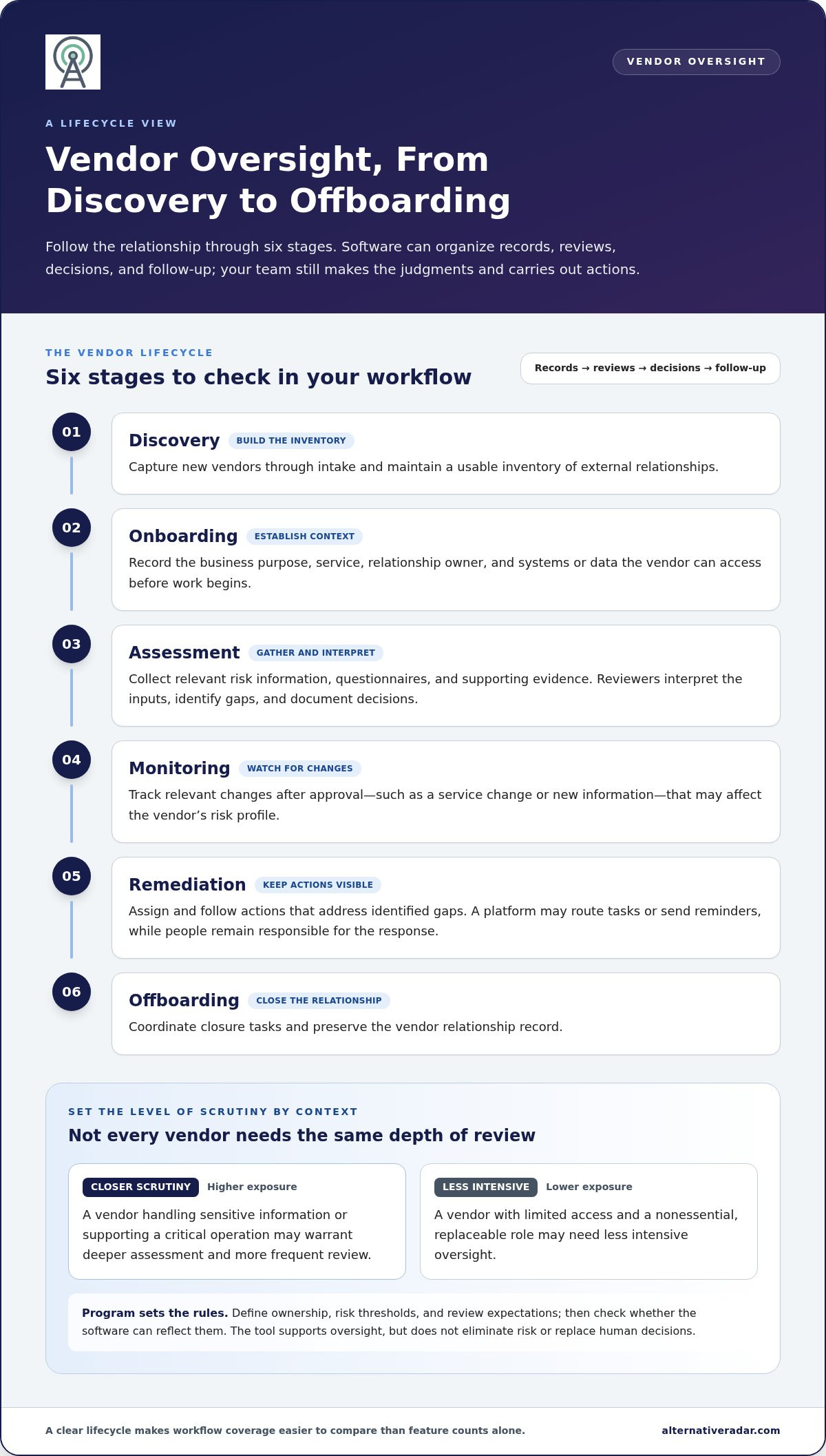
A vendor relationship creates different oversight tasks from initial discovery through closure. Vendor risk management software can bring records, reviews, decisions, and follow-up into a more consistent workflow. It may automate reminders or route tasks, but your team still needs to make judgments and carry out actions.
Use the lifecycle to check whether a tool supports the work your organization actually performs:
- Discovery: Capture new vendors through intake and maintain a usable inventory.
- Onboarding: Record the business purpose, service, owner, and access involved before work begins.
- Assessment: Gather information about relevant risks and document review decisions.
- Monitoring: Track changes that may affect the vendor’s risk profile after approval.
- Remediation: Assign and follow actions that address identified gaps.
- Offboarding: Coordinate closure tasks and preserve the relationship record.
This sequence helps you compare workflow coverage, not just isolated features. A provider with access to sensitive data or a role in a critical service may warrant deeper assessment and more frequent review than one with limited access and a replaceable function. Set those thresholds in your program, then check whether the software can reflect them.
What happens during vendor onboarding and assessment?
Onboarding should establish who the vendor is, what business need it serves, which team owns the relationship, and what systems or data it can access. That context helps determine criticality and the scope of due diligence. A platform may centralize intake, vendor records, questionnaires, supporting evidence, and assigned reviews.
Questionnaire answers and documents are inputs, not decisions. Reviewers need to interpret them in context, identify gaps, and decide whether follow-up is needed. For software suppliers, guidance from the National Institute of Standards and Technology (NIST) can inform how an organization thinks about software supply chain security. Configurable workflows can help route reviews and keep open actions visible.
How do monitoring, remediation, and offboarding differ?
Monitoring looks for relevant changes after initial approval, such as a service change, new information, or a review becoming due. Remediation is the response to a concern: software may assign an action to an accountable owner, record its status, and support escalation when it remains unresolved. Teams still need to assess whether the response addresses the issue.
Offboarding closes the relationship rather than continuing its oversight. Account for access removal, data handling, outstanding obligations, and record retention. A system can document assigned closure tasks and their completion, while designated teams remain responsible for carrying them out.
As you translate these lifecycle needs into selection criteria, software discovery comparisons can help you organize options around your requirements rather than defaulting to familiar names.
How to Compare Vendor Risk Management Software Beyond Feature Lists
Compare tools against the work your team needs to complete, not the number of features on a product page. Start by marking each requirement as essential, useful, or out of scope. Base that choice on your vendor risk profile: a team managing providers with access to sensitive data or critical services may prioritize different workflows than one overseeing low-impact suppliers. Then apply the same criteria to every option.
Which capabilities matter most in a software comparison?
Use a consistent scorecard to compare how each product supports your process. For every row, record whether the capability is essential or an extra, and note any workflow gaps. An advertised feature matters only if it fits your review policies, roles, and risk priorities.
| Area | What to compare | Essential when… |
|---|---|---|
| Inventory and risk tiering | Vendor records, ownership, criticality, and risk categories | You need a clear view of relationships and review priorities. |
| Assessment workflows | Questionnaire setup, routing, approvals, and reassessment paths | Reviews vary by vendor type or level of risk. |
| Evidence handling | How documents, answers, dates, and review notes are stored | Teams need traceable context without repeatedly collecting the same material. |
| Monitoring and remediation | Monitoring sources, alerts, action owners, status, and escalation | Your process needs follow-up between scheduled assessments. |
| Reporting and integrations | Views for stakeholders and connections to tools already in use | Teams need shared visibility or information passed between systems. |
| Configuration and controls | Workflow flexibility, user access, data handling, and compliance support | Requirements depend on internal policies or applicable obligations. |
Assess integration and configuration in context. Flexible workflows may help when teams use different approval paths, but unnecessary complexity can slow adoption. Consider who can view or change sensitive records, how data is handled, and whether reports support the decisions your program needs to make.
How should buyers judge automation and continuous monitoring?
Separate automation from decision-making. A tool may send questionnaires, route tasks, or flag overdue work, while staff still interpret evidence, approve exceptions, and decide how to address findings. For each claimed automation, identify its trigger, the action it takes, and where human review remains necessary.
Continuous monitoring also needs a precise definition. Distinguish alerts about changes between scheduled assessments from periodic reassessment. Find out what sources are monitored, how often information is updated, and what context accompanies an alert. A notification without enough detail to assess relevance may add noise rather than useful visibility.
Apply the same scrutiny to AI claims. Treat AI as a possible workflow aid, not evidence that a product fits. Evaluate whether users can review outputs, understand how recommendations are produced, correct errors, and handle exceptions. If a vendor publishes performance statistics, label them as vendor-reported and check the methodology and current documentation before using them in a decision.
Score each option against your essential requirements first. Useful extras can break a tie, but they shouldn’t outweigh gaps in core workflows, oversight, or data controls.
How to Build a Vendor Risk Management Software Shortlist
A useful shortlist starts with your current process, not a vendor’s feature menu. Before comparing vendor risk management software, document how many vendors you oversee, which relationships are most critical, how often reviews happen, who owns each stage, and where work gets delayed. This gives your team a shared baseline for evaluating options.
How do you translate risk needs into software requirements?
Map the steps from intake through review and follow-up. Note the people involved, handoffs between teams, systems used, and recurring bottlenecks. Then define requirements by workflow and risk tier. A high-risk vendor review may need additional approvals or evidence tracking, while a lower-risk review may call for a simpler path. Include implementation capacity, reporting needs, existing systems, and the people responsible for maintaining the process.
- Map needs: Record vendor volume, criticality, assessment frequency, ownership, current tools, and the delays your team wants to address.
- Define requirements: Sort capabilities into must-haves, useful extras, and out-of-scope items. Tie each must-have to a real process need or risk scenario.
- Compare options: Apply the same criteria to each candidate. Capture gaps and trade-offs, not just feature availability.
- Validate workflows: Test representative tasks with realistic records and evidence before making a decision.
- Select: Choose the option that meets core requirements and fits your team’s capacity to implement and operate it.
What should a realistic software evaluation include?
A polished feature demo can show what a product is designed to do, but not how it handles your team’s everyday work. Use consistent scenarios across shortlisted options: a standard assessment, a higher-risk review with added evidence and approvals, and a remediation follow-up. Observe how easily users complete each task, trace evidence to a decision, configure the workflow, and produce a clear report.
Set success measures before reviewing proposals. Focus on outcomes your team can track, such as reducing duplicate data entry, making review ownership clearer, or improving visibility into overdue actions. These are evaluation goals, not promised product results. Agree on who will assess each scenario and how you’ll record findings.
- Must-haves: Required workflows, data handling and access controls, essential integrations, reporting needs, and implementation capacity.
- Evaluation questions: Can users complete your sample scenarios? Where do handoffs require manual work? Can the team trace evidence, decisions, and open actions?
- Success measures: Define how you’ll assess adoption, process visibility, and progress against the bottlenecks identified at the start.
Keep the shortlist focused on fit, not familiarity. Compare software options against your requirements to organize alternatives around the workflows and priorities that matter to your team.
Compare Vendor Risk Management Software and Find the Right Fit
The right choice isn’t necessarily the platform with the broadest feature set. Choose vendor risk management software that matches your exposure, your team’s capacity, and the workflows you need to run. A tool that adds more processes than your team can maintain may be a poor fit, even if its capabilities look comprehensive.
Use this decision rule: select the simplest approach that gives your organization reliable oversight of its vendor relationships and supports the controls it needs. Compare options against practical trade-offs:
- Structured spreadsheets can remain workable when vendor relationships are limited, ownership is clear, and reviews are straightforward. As records, handoffs, and follow-ups multiply, maintaining consistency becomes harder.
- Focused tools may suit teams that need organized assessments and follow-up without adopting a broader risk-management environment. Their fit depends on whether they cover the workflows and reporting your program requires.
- Broader risk-management platforms may connect vendor oversight with other risk processes. That wider scope can help when teams need shared views, but it can also require more configuration and internal capacity.
Size alone shouldn’t decide. A large organization with a narrow vendor risk process may not need the most feature-rich platform, while a smaller team with complex exposure may benefit from more structured workflows. Weigh vendor volume alongside risk complexity, review demands, and the people available to own the system.
Which type of solution fits different organizations?
Keep a spreadsheet if it remains accurate, current, and easy for owners to use. Consider centralized workflows when teams struggle to find consistent records, coordinate reviews, or follow actions across departments. A focused tool may address those needs; a broader platform may make sense when vendor risk must fit into wider risk operations. Match complexity to capacity, not company size.
How can Alternative Radar support software discovery?
Alternative Radar is a software and digital-product discovery platform that helps readers compare options through clear comparisons and detailed insights. Its coverage brings free, open-source, and premium alternatives together, helping buyers explore choices against their requirements instead of defaulting to familiar market leaders. Use comparisons to organize a shortlist, then assess current product information and validate claims against your own workflows.
Some recommendations include tracked provider links. Alternative Radar may earn an affiliate referral commission when a reader clicks through and completes a purchase or subscription.
Explore software options on Alternative Radar to organize a shortlist around your organization’s needs.
Make Your Next Software Decision Count
Your vendor risk needs won’t stay static. As relationships, services, and internal responsibilities change, the right tool should continue to support how your team works. Revisit your decision after adoption and gather feedback from the people who manage vendor reviews and act on findings. That makes it easier to spot friction early and adjust your process before it becomes routine.
As you explore vendor risk management software, keep your requirements in view and compare options based on fit, not just familiarity or feature volume. Alternative Radar brings free, open-source, and premium software alternatives together with clear comparisons and detailed insights to support your research.
Explore software alternatives on Alternative Radar and build a shortlist that reflects your organization’s priorities. A focused decision can give your team a stronger foundation for managing vendor risk as needs evolve.
Frequently Asked Questions
What is vendor risk management software?
Vendor risk management software helps organizations maintain records about external providers and coordinate risk reviews. For example, a team might use it to link a vendor to the service it provides, the internal owner, review documents, and open follow-up items. The software supports the organization’s process; it doesn’t set risk tolerance or make approval decisions on its own. Those responsibilities remain with people and policies.
How do you choose vendor risk management software?
Choose vendor risk management software by testing whether it can handle your real scenarios, not by counting features. Pick a routine review and a more complex case, such as a vendor whose service changes or whose documentation needs follow-up. Compare how each option captures context, routes work, and helps users make decisions. Include the people who will use and administer the tool, since their needs can differ.
Is vendor risk management software the same as third-party risk management software?
Not always. Vendor risk management often focuses on suppliers and service providers, while third-party risk management can cover a wider set of external relationships, depending on how an organization defines the term. For example, a program may include partners or other outside entities alongside vendors. Compare the scope each software provider supports with the relationships your organization includes in its own risk program.
Can vendor risk management software replace questionnaires and human reviews?
No. Software may help distribute questionnaires, collect responses, organize evidence, and route reviews, but it can’t reliably replace context-specific judgment. A reviewer still needs to decide whether an answer addresses the organization’s concern, whether evidence is relevant, and what to do about a gap. Tailor questions to the service and access involved, then use the tool to keep responses and decisions organized.
How much does vendor risk management software cost?
Pricing varies by provider and plan, so compare the total proposal against the scope you’ll use. Ask how the price changes with vendor volume, user access, selected capabilities, implementation, and contract terms. Also consider the effort needed to configure and maintain the system. A lower starting price may not represent the full cost of a setup that requires additional modules or internal resources.
What happens if a vendor fails a risk assessment?
A failed assessment should trigger review, not an automatic assumption that the relationship must end. First identify the specific gap and its potential impact. Depending on your policies, the organization might request corrective action, apply additional safeguards, limit access, document an exception, or decline to proceed. Record the rationale, accountable owner, and follow-up date so the decision remains clear as circumstances change.
Does vendor risk management software monitor vendors continuously?
Some tools offer ongoing monitoring, but “continuous” can describe different services and update schedules. It may refer to alerts from selected data sources rather than uninterrupted review of every vendor risk. Check what information is monitored, how updates are delivered, and whether alerts explain the change. Use monitoring alongside scheduled assessments, since an alert may need human investigation before it affects a risk decision.