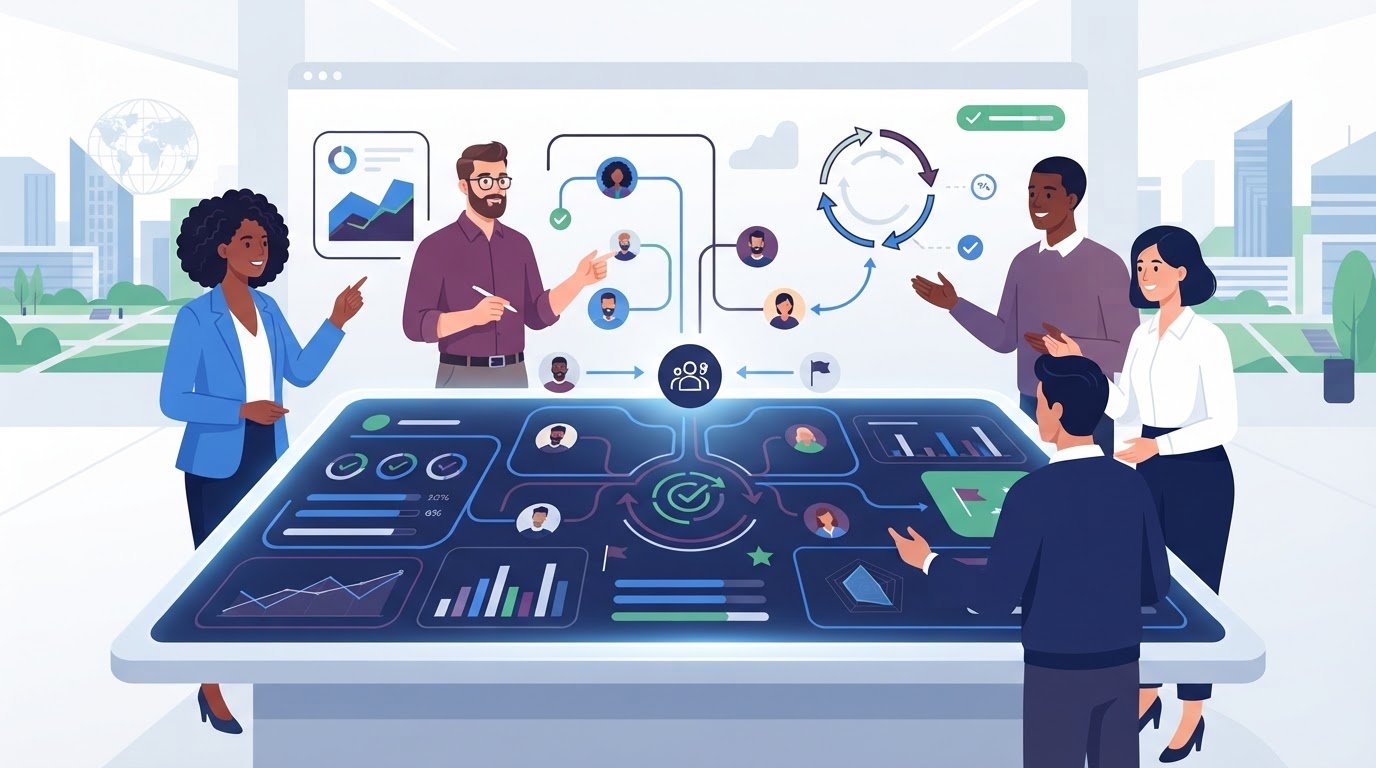
What if performance reviews supported steady growth instead of creating another administrative backlog? The right performance management software for teams can connect individual goals to company OKRs, organize regular feedback, and make progress easier to see throughout the year. That matters when annual reviews consume too much time and employees rarely engage with the tools meant to help them improve.
Choosing a platform isn’t just about replacing spreadsheets or digitizing review forms. Teams need useful feedback loops, clear goal tracking, and development plans that help employees see a future with the organization. Without those pieces, even a feature-rich system can add process without improving performance.
This 2026 comparison guide helps you evaluate tools against your team’s workflows, priorities, and budget. Compare goal-setting, feedback, reporting, career development, integrations, and pricing structures. Check potential commitments before you choose, then weigh established platforms against more focused alternatives. The aim is to find a tool that reduces review administration while helping people stay aligned and engaged.
Key Takeaways
- See why some teams are adding regular performance conversations rather than relying on annual reviews alone.
- Use goal alignment and 360-degree feedback as practical criteria when evaluating performance management software for teams.
- Compare established platforms such as Lattice and 15Five with specialized alternatives to find a better fit for your workflows.
- Check how each tool connects with your team communication platforms before adding it to your software stack.
- Set a clear performance philosophy and test your shortlist with a department pilot before rolling out a new system.
The Evolution of Team Performance Management in 2026
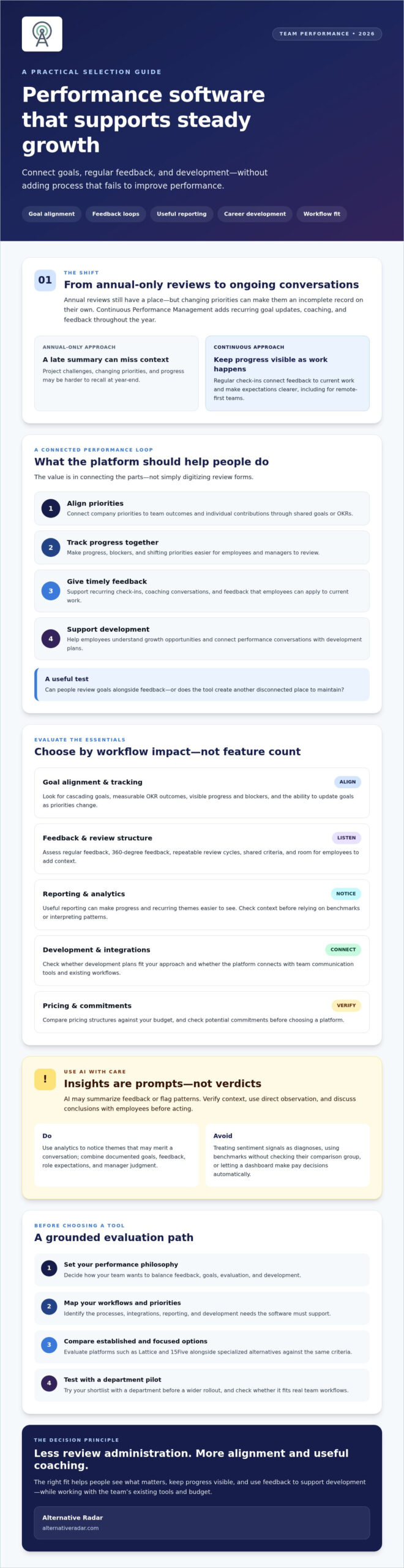
Annual reviews still have a place, but they’re a poor fit as the only record of performance for teams whose priorities change during the year. A manager’s end-of-year summary may miss the context behind a project’s challenges or an employee’s progress. The traditional performance appraisal process offers useful background, but many teams also need regular check-ins that connect feedback to current work.
Continuous Performance Management (CPM) uses recurring goal updates, coaching conversations, and feedback throughout the year. For remote-first teams, these touchpoints can make progress and expectations more visible when colleagues don’t share an office. Regular development conversations can also help employees understand their growth opportunities, which may be relevant when working to support engagement and retention.
AI features can help managers organize feedback, summarize recurring themes, and identify patterns across goals and check-ins. Treat these insights as prompts for conversation, not as a substitute for direct observation or human judgment. Managers should verify context and discuss conclusions with employees before acting on them.
From Compliance to Coaching: The Cultural Shift
Moving to continuous feedback requires more than changing software. Managers must shift from delivering a final rating to giving timely, specific guidance. A short note after a presentation or a regular check-in on a goal can be easier to apply than a long list of comments months later.
Software can schedule prompts and record follow-ups, but psychological safety affects whether employees share useful information. Explain what feedback is collected, who can see it, and how it will inform development. Invite employees to add context, and make feedback a two-way conversation rather than a score-keeping exercise.
Why Your Current Spreadsheet System Can Create Extra Work
Spreadsheets can track basic goals, but managers may end up chasing updates, merging documents, and rebuilding review histories. That administrative work takes attention away from coaching. Separate files can also disconnect performance notes from the work they describe, making it harder to understand how changing priorities affected progress.
Look for performance management software for teams that can connect goals, feedback, and review cycles with the tools employees already use. Before choosing, check which integrations are available and whether they keep relevant context easy to find. Standardized questions and shared criteria can make evaluations more consistent, but they won’t eliminate bias on their own. Pair structure with manager training and room for employee input to make decisions more transparent and development-focused.
Essential Features of High-Impact Performance Software
Choose features by how well they improve alignment, feedback, and development, not by the length of the checklist. A useful platform helps employees understand what matters, gives managers a repeatable way to coach, and keeps progress visible between formal reviews. The broader evolution of performance management has put greater emphasis on ongoing feedback and development, so assess whether a tool supports those habits in everyday work.
The Power of Integrated Goal Tracking
Look for goals that connect company priorities to team outcomes and individual contributions. Cascading goals help employees see how their work supports a larger objective, while dashboards can make progress, blockers, and changing priorities easier to review. OKRs, or Objectives and Key Results, pair a defined team objective with measurable outcomes that show whether the team is making progress.
Check whether goals can be updated as priorities shift and whether employees and managers can review them alongside feedback. A disconnected goal module may create another place to maintain instead of providing a shared view of work.
Actionable Analytics and Sentiment Analysis
Analytics can help managers notice patterns, such as repeated missed check-ins or feedback themes that warrant a conversation. Some tools use AI to summarize feedback or flag possible signs of disengagement, but these signals aren’t diagnoses. Validate them with context and direct discussion. Treat industry benchmarks cautiously, too: check how the comparison group was formed before using it to assess a team.
For compensation cycles, consider documented goals, feedback, role expectations, and manager judgment together. A dashboard can organize evidence, but it shouldn’t make pay decisions automatically.
Prioritize features that help turn information into consistent, useful action. When comparing performance management software for teams, consider:
- Multi-rater feedback: Gather perspectives from peers, direct reports, and managers, with clear guidance on how responses are used.
- Recognition: Give colleagues a simple way to acknowledge useful contributions in a timely, visible manner.
- Development planning: Connect feedback to skills, learning goals, and potential internal career paths.
- Automated check-ins: Use adjustable templates and reminders to reduce manager administration without making conversations feel scripted.
Compare each option against your team’s actual workflow, including adoption needs and available integrations. For another way to explore software options, use Alternative Radar’s software comparisons as one input to your shortlist.
Top 5 Performance Management Software for Teams: 2026 Roundup
The strongest shortlist isn’t automatically the one with the biggest HR suite. Compare tools by how easily employees can use them, how well they connect to communication and work systems, and whether their reporting helps managers act. For remote teams, test whether feedback and goal updates fit naturally alongside team communication tools, rather than creating another disconnected workflow.
These five options represent a mix of established platforms and more focused tools. Treat the “best for” labels as starting points, then verify current features, integrations, security controls, and contract requirements directly with each vendor.
- Lattice, worth evaluating for broader people-management needs: Consider it if your team wants performance processes alongside related people programs. A broader scope may suit some organizations, but check whether the modules and setup match your needs or add unnecessary complexity.
- 15Five, worth evaluating for ongoing manager-employee conversations: Shortlist it if regular check-ins and performance discussions are central to your process. Confirm that its workflows and reporting support a feedback cadence your managers can sustain.
- PerformYard, worth evaluating for structured review cycles: Compare it if you want a dedicated performance platform rather than a full HR suite. Test how its review and goal workflows map to your existing process before committing.
- Effy AI, worth evaluating for focused feedback and goals: Consider this specialized option if you want to assess review and goal-setting workflows without adopting a wider platform. Verify which features and integrations are included in the plan you’re considering.
- Small Improvements, worth evaluating for a focused performance program: Add it to your shortlist if you’re seeking a dedicated tool. Check its review, feedback, and reporting workflows against your team’s requirements, including any minimum user commitment.
Match the platform to your team’s constraints
Enterprise buyers should verify security controls, permissions, hierarchy support, and analytics depth rather than assume every platform handles them in the same way. More configuration can support complex organizations, but it may also increase training and administration. Smaller or fast-growing teams may prefer a lighter workflow employees can adopt quickly, with integrations for the project management or development tools they already use.
For sensitive information, ask vendors about hosting options, encryption, access controls, and data retention. Balance transparency with privacy by clarifying who can view individual feedback and how performance information informs decisions. Teams exploring self-hosted options can also review this open-source business software guide. Alternative Radar’s comparisons can help buyers consider options beyond familiar market leaders when building a shortlist.
Implementation Strategy: How to Successfully Launch Your Tool
Buying performance management software for teams won’t fix an unclear review process by itself. Set the principles first, then configure the tool to support them. A staged rollout lets you test whether the new workflow saves managers time and gives employees feedback they can use.
- Phase 1: Define your performance philosophy. Agree on what you’re evaluating, how often feedback happens, and how goals connect to business priorities. Decide whether reviews will inform development, compensation, or both, and explain that distinction.
- Phase 2: Pilot with one department. Choose a team with a clear use case, such as replacing a spreadsheet-based review cycle. Gather feedback from managers and employees about the workflow, templates, and reporting before expanding access.
- Phase 3: Train managers. Practice giving specific, constructive feedback and receiving it without defensiveness. Show managers how to prepare for check-ins and use the platform to record follow-up actions, not just ratings.
- Phase 4: Fit the tool into daily work. Review available integrations with Slack, Microsoft Teams, email, and project systems. Use reminders thoughtfully so feedback is easy to give without flooding employees with notifications.
- Phase 5: Review and iterate. Monitor participation, completed check-ins, feedback quality, and employee input. Adjust templates or reminders when the process creates friction, then assess whether the changes improve adoption.
Avoiding the “Big Brother” Trap
Explain why you’re introducing the system and what employees should gain from it, such as clearer goals and more useful coaching. Make feedback two-way by giving employees a structured way to share input with managers. Set clear boundaries on who can access performance data, how long it’s retained, and how it may inform reviews. Transparency builds trust, while silent monitoring can undermine it.
Measuring the ROI of Your New Software
Track platform engagement alongside practical outcomes: whether check-ins happen, whether goals stay current, and how employees rate the process. Compare turnover patterns over time, but don’t assume software usage alone caused a change. Consider other factors, including management practices, role changes, and development opportunities.
To estimate review time saved, compare the hours spent preparing and completing reviews in the new process with the hours required for the previous manual process over the same review cycle.
Use pilot findings to refine your requirements before a wider rollout. Compare performance management software options as part of building a shortlist that fits your team’s process.
Finding Your Perfect Fit with Alternative Radar
A familiar name can be a useful starting point, but it doesn’t prove that a platform fits your team. The right performance management software for teams should match your feedback practices, privacy expectations, integrations, and licensing preferences. Alternative Radar helps users discover and compare software, including focused alternatives to platforms that may offer more than they need.
Look beyond the first few search results. Search rankings and brand recognition don’t tell you whether a tool supports your workflows or whether its feature set justifies the complexity. Compare practical trade-offs instead: what the software does well, where it may fall short, and whether free, open-source, or premium options fit your requirements. Avoiding a poor-fit purchase may help your team sidestep unnecessary features and costs, though actual savings depend on your selection and contract.
Why Suitability Beats Popularity
The default choice can seem safer, but it may not align with your team’s size, processes, or data preferences. Start with specific requirements, such as review cadence, goal tracking, communication integrations, and hosting or licensing needs. Then compare tools against that list. This keeps the decision grounded in your use case rather than popularity alone, and helps your team choose based on its requirements instead of following a market leader by default.
Alternative Radar provides software comparisons that cover features, pricing, and pros and cons, including options across free, open-source, and premium categories. Explore alternatives to popular software to broaden your shortlist beyond products your competitors may already know. Use each comparison as a research aid, then confirm current capabilities, security details, and licensing terms with the vendor.
For transparency, Alternative Radar earns revenue through affiliate commissions and programmatic advertising, and offers sponsored software placements. Keep this context in mind as you review recommendations, compare available information, and make your own decision.
Start Your Discovery Today
Turn your requirements into a shortlist: identify must-have workflows, note licensing or privacy constraints, and compare the trade-offs before you choose. This gives you a clearer basis for vendor discussions and a more focused evaluation. Explore more software alternatives on Alternative Radar and assess options against your team’s priorities.
Choose a Tool That Helps Your Team Move Forward
The strongest performance process isn’t defined by the longest feature list. It’s the one your managers can sustain and employees find useful. Choose performance management software for teams that supports clear goals, timely feedback, and development, then introduce it with a thoughtful rollout and refine it using employee input.
Before you commit, compare how each option fits your workflows, reporting needs, and priorities. A popular platform may be a strong match, but a more focused alternative could suit your team better. Look beyond brand recognition and weigh practical trade-offs, including the time and administrative effort a tool may help your organization manage.
Use Alternative Radar’s software comparisons to review features, pricing, and pros and cons across different types of products. Compare performance management alternatives on Alternative Radar and build a shortlist based on your team’s needs.
Frequently Asked Questions
What is the primary difference between HRIS and performance management software?
An HRIS manages core employee information and HR processes, while performance management software focuses on goals, feedback, reviews, and development. Some HR platforms include performance features, but a dedicated tool may offer more focused workflows for check-ins, OKRs, or 360-degree feedback. Compare the options against your needs: if you mainly need employee records and administration, an HRIS may be enough; if you need continuous coaching, evaluate specialized performance tools.
Can performance management software really replace annual reviews?
It can replace annual reviews as the only time employees receive feedback, but it doesn’t have to eliminate a formal yearly review. Software can support ongoing check-ins, goal updates, and coaching conversations, then help managers prepare a year-end summary using documented progress. Decide whether an annual checkpoint still serves your organization’s purpose. The key is not to rely on one retrospective conversation for feedback employees need throughout the year.
How much does performance management software typically cost per user?
There isn’t one standard per-user cost. Pricing depends on the vendor, selected features, billing terms, and organization size. Some providers charge per employee or user, while others set annual commitments, minimums, or package performance features within a broader HR platform. Ask for a quote based on your expected user count, and check what’s included, how billing works, and whether the contract has a minimum before comparing options.
Is there free or open-source performance management software for small teams?
Free and open-source options may suit small teams, but availability and capabilities vary. Check whether a tool includes the workflows you need, such as goal tracking, feedback, and review templates, rather than assuming “free” means fully featured. For open-source software, also assess hosting, maintenance, security, integrations, and the technical resources needed to operate it. Compare these requirements with your team’s capacity before choosing.
How do I ensure my team actually uses the performance management tool?
Choose a workflow employees can complete without duplicating work, then explain how the tool supports development and goal clarity. Pilot it with one team, gather feedback, and adjust templates or reminders before expanding. Train managers to give and receive useful feedback, and connect the platform to tools employees already use where possible. Track participation and check-in completion, but ask employees directly what makes the process useful or difficult.
What are the most important integrations for performance software in 2026?
Prioritize integrations that reduce duplicate entry and connect performance activity to existing workflows. Common categories to assess include HRIS, team communication platforms, calendars, project management systems, learning tools, engagement surveys, and compensation systems. The right mix depends on how your organization sets goals and supports development. Verify exactly what each integration syncs, whether it works both ways, and whether administrators can control which information is shared.
Can AI in performance software be biased?
Yes. AI can reflect bias in its training data or produce uneven results when feedback is incomplete, inconsistent, or shaped by past evaluations. Treat AI-generated summaries, sentiment signals, and recommendations as prompts for human review, not objective verdicts. Ask vendors how the feature works, what data it uses, and how outputs can be checked. Set clear review procedures, give employees a way to provide context, and monitor outcomes for patterns that need investigation.