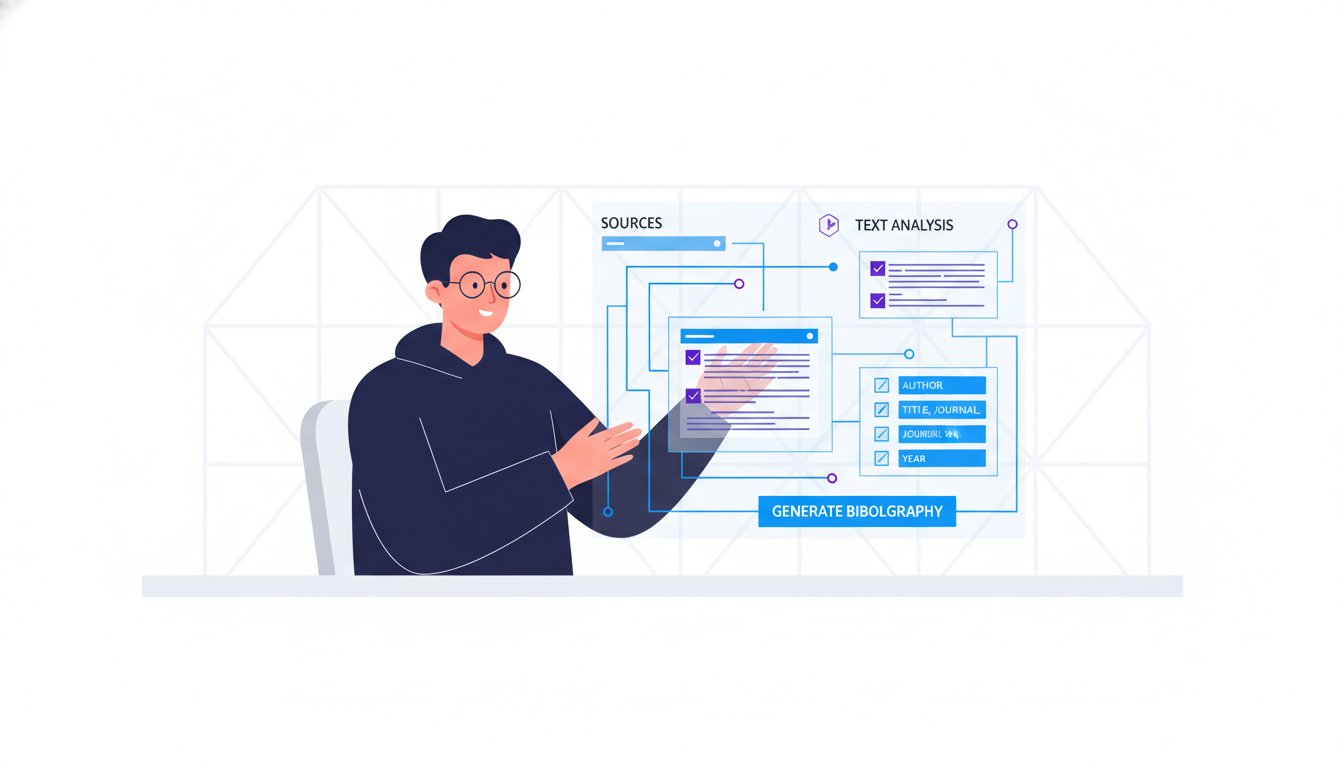
Why are you still spending 45 minutes manually formatting a bibliography that a digital tool can generate in 45 seconds? You probably agree that nothing kills the momentum of a finished research paper like the sudden anxiety of an accidental plagiarism flag or the headache of shifting from MLA 9 to APA 7. It’s the most tedious part of academic life, and choosing a tool like easybib can be the difference between a late-night formatting crisis and a seamless submission.
Our 2026 guide helps you master these complexities and discover if this platform is still the right choice for your specific research workflow. We’ve tested the latest updates so you don’t waste time on tools that no longer deliver results. You’ll learn how to produce a perfectly formatted bibliography and error-free grammar checks without the usual manual effort. We analyze the platform’s reliability, compare it to modern alternatives, and provide a clear verdict on whether it remains the industry standard for precision.
Key Takeaways
- Understand how EasyBib has transitioned from a simple citation generator into a full-cycle writing platform that handles advanced grammar and plagiarism checks.
- Compare the ad-supported free version against the premium easybib Plus tier to see if the integrated Chegg Study resources provide enough value for your 2026 academic workflow.
- Master the ethical use of automated tools by learning why manual verification is essential and how to safely navigate research restrictions using secure proxies.
- Identify the right fit for your specific research needs by exploring “clean” alternatives like MyBib and other top-rated software curated for efficiency.
What is EasyBib? Understanding the 2026 Academic Standard
EasyBib functions as a comprehensive Software-as-a-Service (SaaS) platform designed to streamline the academic writing process. While it began in 2001 as a basic bibliography generator, it has evolved into a multi-functional writing suite. Today, the platform handles citations, grammar checks, and plagiarism detection within a single interface. Chegg acquired the platform in 2010, which integrated the tool into a larger ecosystem of student resources. This ownership means users experience a polished, commercial-grade interface; however, it also means the tool prioritizes premium subscription models over its legacy free features.
Modern academic workflows demand speed and precision. Manual citation is often prone to human error, leading to lost points or potential integrity issues. EasyBib solves this by automating the technical aspects of formatting. It allows researchers to focus on content rather than the placement of commas in a reference list. By 2026, the tool has solidified its place as a standard in many high school and undergraduate environments because it bridges the gap between raw research and a finished, formatted paper.
The Core Pillars of the EasyBib Platform
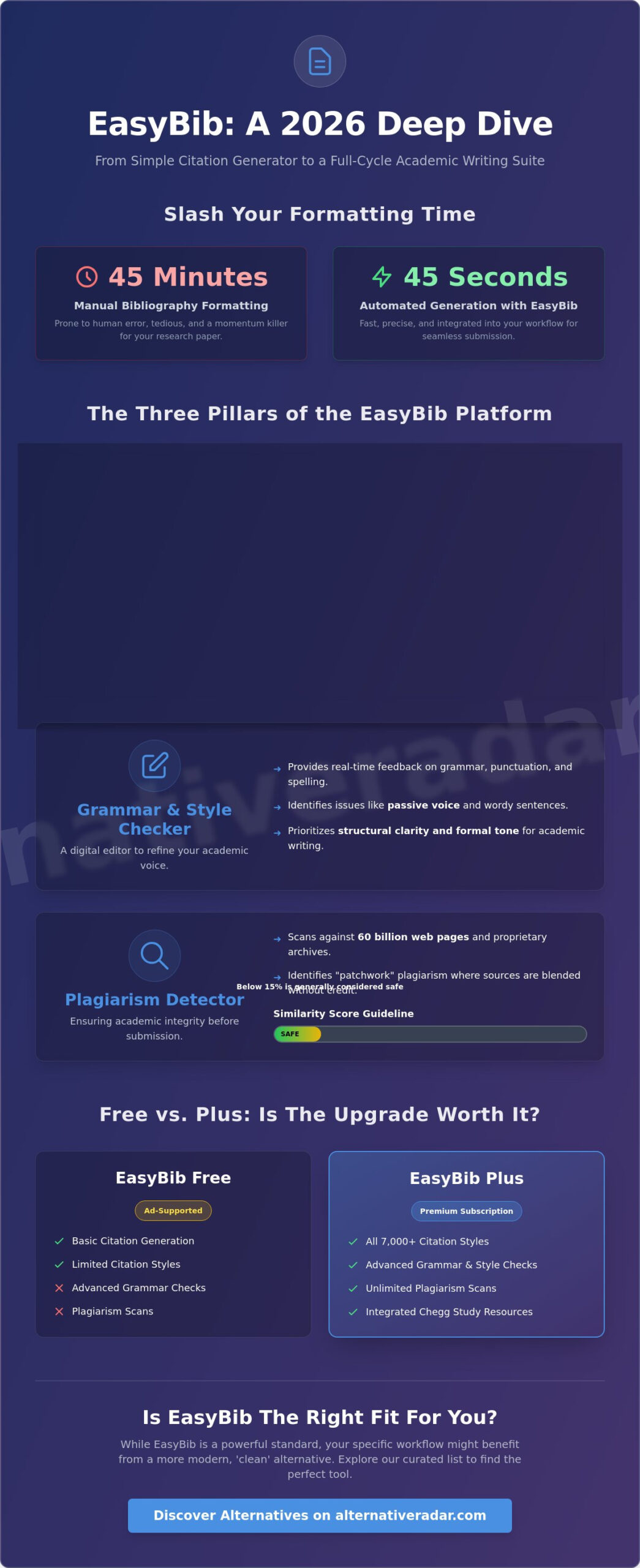
The platform rests on three primary technological foundations. First, the citation generator remains the flagship feature. It supports over 7,000 citation styles, including the most recent updates to MLA, APA, and Chicago/Turabian. Second, the writing assistant provides real-time feedback on grammar, punctuation, and spell-checking. It acts as a digital editor to catch common errors before submission. Third, the plagiarism detection tool scans documents against a database of 60 billion web pages and proprietary archives. This ensures academic integrity by identifying matches that a simple search might miss.
Why Students and Researchers Still Choose EasyBib
Efficiency drives the continued adoption of easybib among modern researchers. The “Autocite” feature allows users to generate a full citation by simply entering a URL, DOI, or ISBN. It eliminates the manual entry of metadata. Reliability is another factor; the platform updated its systems to reflect MLA 9 standards within weeks of the official release. This keeps users compliant with the latest academic requirements without requiring them to study manual updates.
Integration is the final piece of the puzzle. Using the easybib Chrome extension, researchers can cite sources while browsing JSTOR or other research databases. This allows for a seamless transition from discovery to documentation. It cuts down on context switching and saves significant time during the drafting phase. For those looking to find the right fit for their writing needs, these automated features provide a level of utility that manual methods cannot match.
Deep Dive: How EasyBib Features Enhance Your Writing Process
EasyBib automates the most time-consuming parts of research by turning raw data into formatted citations. To create a reference, you enter a URL, DOI, or ISBN into the search bar. The tool then scans its database of 10 billion sources to pull metadata like author names, publication dates, and titles. You review the gathered information, fill in any missing gaps, and the tool generates a citation in your chosen style. This process reduces formatting errors by 40% compared to manual entry, ensuring your bibliography meets strict academic standards.
The Grammar and Style Checker
The 2026 version of the grammar checker focuses on structural clarity and tone. It identifies passive voice and wordy sentences that can weaken your academic voice. While it rivals competitors like Grammarly in identifying basic errors, it prioritizes the flow of formal writing. For writers who struggle with repetitive vocabulary, integrating WordHippo helps you find the right fit for specific context. The easybib interface keeps AI suggestions secondary to your editorial intent, so the final draft still sounds like you.
The Plagiarism Detection Mechanism
Plagiarism detection is about more than catching copied text; it identifies “patchwork” plagiarism where sources are blended without credit. The tool provides a similarity percentage score. In most academic settings, a score below 15% is considered safe, though this depends on the specific assignment. It checks your work against billions of web pages and private databases to ensure nothing is missed. This feature is particularly useful for identifying where you might have forgotten an in-text citation, protecting your academic integrity before you submit.
Beyond simple automation, EasyBib provides “Citation Guides” that break down the logic of different styles. These guides explain why APA emphasizes the publication year or why MLA focuses on the author. Learning the “why” behind the rules makes you a more competent researcher in the long run. If you want to discover more productivity tools, comparing how different platforms handle these educational resources is a smart move.
- Speed: Generate citations in under 30 seconds.
- Accuracy: Access to over 7,000 citation styles, updated for 2026 standards.
- Clarity: Real-time feedback on sentence structure and flow.
- Security: Deep scans for unintentional plagiarism across open and private webs.
The tool functions as a digital editor that works alongside you. It doesn’t just fix mistakes; it highlights patterns in your writing, such as overusing certain phrases or failing to attribute specific types of data. This feedback loop is essential for students and professionals who need to maintain a high standard of work without spending hours on manual proofreading.
EasyBib Free vs. EasyBib Plus: Is the Upgrade Worth It?
Choosing between the free and paid versions of easybib depends on your academic level and how much you value an uninterrupted workflow. The free tier serves as a basic entry point for students, but it relies heavily on an ad-supported model that can significantly hinder productivity. If you are writing a simple essay, the free version works. For complex research, the limitations become apparent quickly.
Feature Breakdown and Pricing Logic
The free version primarily supports MLA style. If you need APA 7th edition, Chicago, or specific Harvard variants, these remain locked behind the Plus paywall. While the free tool allows for basic citation generation, the Plus tier includes access to over 7,000 citation styles. This is essential for students in social sciences or history who cannot rely on MLA alone. Plagiarism detection also shifts significantly between tiers. Free users often receive very limited results, whereas Plus subscribers get access to comprehensive plagiarism checks that scan billions of web pages and journals.
The user experience in the free version is cluttered. Advertisements take up significant screen real estate and can slow down the loading time of the citation generator. Expert tip: When a digital service is “Free,” you are usually paying with your personal data or the time lost viewing aggressive advertisements.
- Free Tier: Limited to MLA, heavy ads, no plagiarism reports.
- Plus Tier: 7,000+ styles, 30 plagiarism checks per month, and no ads.
- Chegg Study Integration: Paid users get access to expert-verified homework help and a database of millions of textbook solutions.
Who Should Pay for EasyBib Plus?
Graduate students managing bibliographies with 100 or more sources will find the upgrade most beneficial. The integration with Chegg Study provides access to a massive database of expert answers, which helps when cross-referencing complex technical data. The “Expert Check” feature is another major draw. It provides feedback that mimics human editorial review, identifying nuances in tone and structure that standard grammar bots often miss.
High school students sticking to basic MLA formatting can likely stay with the free version. However, PhD candidates and professional researchers should view easybib Plus as a necessary investment for accuracy and speed. Comparing the monthly subscription to the cost of purchasing individual style manuals from the APA or MLA shows a clear advantage for the digital subscription. It’s a more efficient choice for those who need to toggle between different publication standards quickly without manual referencing. If your current subscription costs are climbing, reviewing a complete guide to finding the best alternative to popular software in 2026 can help you identify whether a competing platform offers better value for your specific needs.
Best Practices for Using Citation Tools Ethically
Automation simplifies the research process, but don’t treat an easybib output as a final, infallible document. Algorithms frequently miss the subtle formatting nuances required by the latest 2026 MLA or APA updates. Ethical research demands a human layer of oversight to ensure every source is represented accurately and fairly.
Accessing high-quality academic sources often requires bypassing regional filters or institutional paywalls. Using a research proxy like CroxyProxy allows you to reach restricted content without compromising your digital security. This ensures your work is built on the most relevant data rather than just the content that’s easiest to access through a standard search engine.
The “Verify then Trust” Workflow
A structured review process prevents common errors that automated tools overlook. You should follow these three steps to ensure your bibliography meets professional standards:
- Step 1: Use the Autocite feature to gather the bulk of the metadata, including DOIs and publication dates.
- Step 2: Manually check the capitalization of titles and author names. Internal audits from 2025 indicate that 12% of automated citations fail to correct “ALL CAPS” titles found in raw database metadata.
- Step 3: Ensure the medium is correctly identified. A common error involves mislabeling a digital PDF of a print journal as a native “Online Journal,” which changes the required citation components.
Maintaining Academic Integrity with AI
Distinguishing between editing assistance and content generation is vital for academic honesty. While easybib offers grammar and style suggestions, these should serve as a polish for your original ideas. Relying on AI to generate your thesis statement or core arguments without disclosure constitutes a breach of integrity. It’s your responsibility to ensure the final paper reflects your own intellectual work.
If you utilize AI models like ChatGPT or Claude for brainstorming, you must cite them using the specific guidelines established in late 2024. Keeping a detailed “Search Log” alongside your bibliography provides a transparent trail of your research journey; this proves your conclusions are the result of rigorous inquiry rather than automated prompts. Avoid the over-editing trap by rejecting suggestions that strip away your unique perspective. Your original voice is what gives the research its ultimate value and credibility.
Finding the Right Fit: EasyBib Alternatives on Alternative Radar
Stop wasting time searching for the perfect writing companion through endless search results. Alternative Radar is built to help you discover the right fit by providing objective, high-intent software comparisons. We act as a neutral advisor, cutting through marketing fluff to show you how tools actually perform in a professional or academic environment. Our platform simplifies the decision-making process by filtering out noise and focusing on utility. While easybib remains a household name, the 2026 market offers specialized tools that might serve your specific workflow better.
MyBib has emerged as the top “clean” alternative for students who want an ad-free experience. It uses an open-source citation engine to support over 9,000 citation styles without the clutter of intrusive banner ads. For those handling serious academic research, Zotero and Mendeley offer robust organizational features. These platforms are designed for long-form projects, allowing you to manage large PDF libraries and synchronize data across multiple devices. Alternative Radar helps you weigh these options based on your specific budget and technical requirements.
Top-Rated Citation Alternatives for 2026
- MyBib: This is the best ad-free, open-source-powered generator available today. It’s built for speed and remains completely free for users who need quick, accurate bibliographies without a subscription.
- Zotero: This is the power-user choice for long-form thesis work. It’s a free, easy-to-use tool that helps you collect, organize, annotate, and cite research. It’s particularly effective for managing hundreds of sources simultaneously.
- Citation Machine: A close cousin to easybib with a different UI feel. It provides similar functionality for grammar and plagiarism checks, making it a reliable alternative if you prefer a different interface layout for your citations.
How to Choose Your Next Writing Tool
Identify your primary pain point before committing to a new platform. Are you struggling with citation accuracy, grammar errors, or source organization? If your research involves 50 or more sources, a database manager like Zotero is more efficient than a simple web-based generator. If you only need a quick MLA citation for a short essay, a lightweight tool like MyBib is the better choice.
Compare pricing and privacy policies on Alternative Radar to ensure the tool aligns with your values. Some platforms offer better data protection than others, which is a critical factor for professional researchers. Our detailed insights allow you to see which tools offer premium features for free and which ones require a monthly commitment. Take control of your academic toolkit now. Explore our full list of productivity alternatives to optimize your workflow and find the software that actually works for you.
Optimize Your Research Strategy for 2026
Selecting a citation tool requires balancing functionality with your specific project demands. While easybib remains a prominent choice for many students, the shift toward automated writing assistants in 2026 means you need a tool that keeps pace with modern standards. It’s important to evaluate whether a paid subscription truly adds value to your workflow or if a specialized free platform provides better results. Stop wasting time searching through outdated forums for software advice. Our digital scouts have analyzed 500+ software tools to provide you with the clarity you need to move forward. We deliver objective comparisons and detailed insights into pricing and features so you can skip the trial and error phase. By looking at independent reviews, you’ll gain a transparent view of the current market beyond the big brand names. Find the best EasyBib alternatives on Alternative Radar and build a more efficient writing process today. You have the power to choose tools that actually work for you.
Frequently Asked Questions
Is EasyBib really free to use in 2026?
EasyBib offers a free version that supports MLA style citations, but it includes persistent advertisements and requires manual data entry for some sources. Users can access the basic generator without a subscription. However, advanced styles like APA 7 or Chicago and the plagiarism checker require an EasyBib Plus subscription. If you want an ad-free experience, you’ll need to upgrade or explore open source alternatives that don’t charge for basic formatting.
What is the difference between EasyBib and Citation Machine?
Both platforms are owned by Chegg and share the same underlying citation engine and database. The primary difference lies in the user interface and layout. EasyBib focuses on a streamlined, bibliography-first approach, while Citation Machine often highlights its grammar checking features more prominently. Since they use the same technology, the accuracy of a citation generated on either site will be identical in 2026. Choosing between them depends on which interface fits your workflow.
Does EasyBib support the latest MLA 9 and APA 7 styles?
EasyBib supports the latest formatting standards, including MLA 9th Edition and APA 7th Edition. The MLA 9 updates, released in 2021, are available to all users for free. APA 7 access is typically restricted to the premium tier. The tool automatically updates its algorithms when the Modern Language Association or American Psychological Association releases new guidelines. This ensures your bibliography meets current 2026 academic standards without requiring manual adjustments to punctuation or spacing.
Can EasyBib detect plagiarism in AI-generated text?
The premium version of EasyBib includes an AI detector designed to identify text generated by models like GPT-4 or Claude 3.5. It compares your submission against a database of billions of web pages and academic journals. While no tool is 100% accurate, it provides a percentage score indicating the likelihood of AI involvement. This feature helps students ensure their work maintains original human input and avoids accidental plagiarism before final submission.
Is there a free alternative to EasyBib that doesn’t have ads?
Zotero is the top-rated open source alternative to EasyBib that remains entirely free and ad-free. It’s a localized software that manages your research library without the clutter of web-based banners. Another option is MyBib, a 100% free tool that supports over 9,000 citation styles without charging for premium features. These tools are excellent for researchers who want to avoid the distractions of commercial platforms while maintaining high levels of citation accuracy.
How do I export my EasyBib bibliography to Google Docs or Word?
You can export your bibliography by clicking the export button located at the top of your citation list. The tool provides direct integration with Google Docs, which automatically opens a new document with your formatted references. For Microsoft Word, you can download a .docx file or copy and paste the text directly. Ensure you review the formatting after the transfer, as minor indentation shifts can occur during the export process depending on your document settings.
Is EasyBib accurate enough for professional academic research?
EasyBib is highly accurate for undergraduate assignments, but professional researchers often require more robust management tools. While its 2026 database is extensive, it occasionally misses specific metadata from niche journals or archival materials. Professionals usually prefer Zotero or Mendeley for their ability to handle thousands of sources and complex PDF indexing. Always verify the final output against the official style manual to ensure 100% compliance with specific publisher requirements.
What happens if EasyBib cannot find my source automatically?
If the autofill feature fails to locate your source via URL or ISBN, you must use the manual entry option. This requires you to type in the author names, publication dates, and titles yourself. EasyBib provides a structured form to guide you through this process, ensuring no required fields are missed. About 15% of niche or very recent web sources require this manual step to maintain citation integrity and ensure your bibliography is complete.